Overview
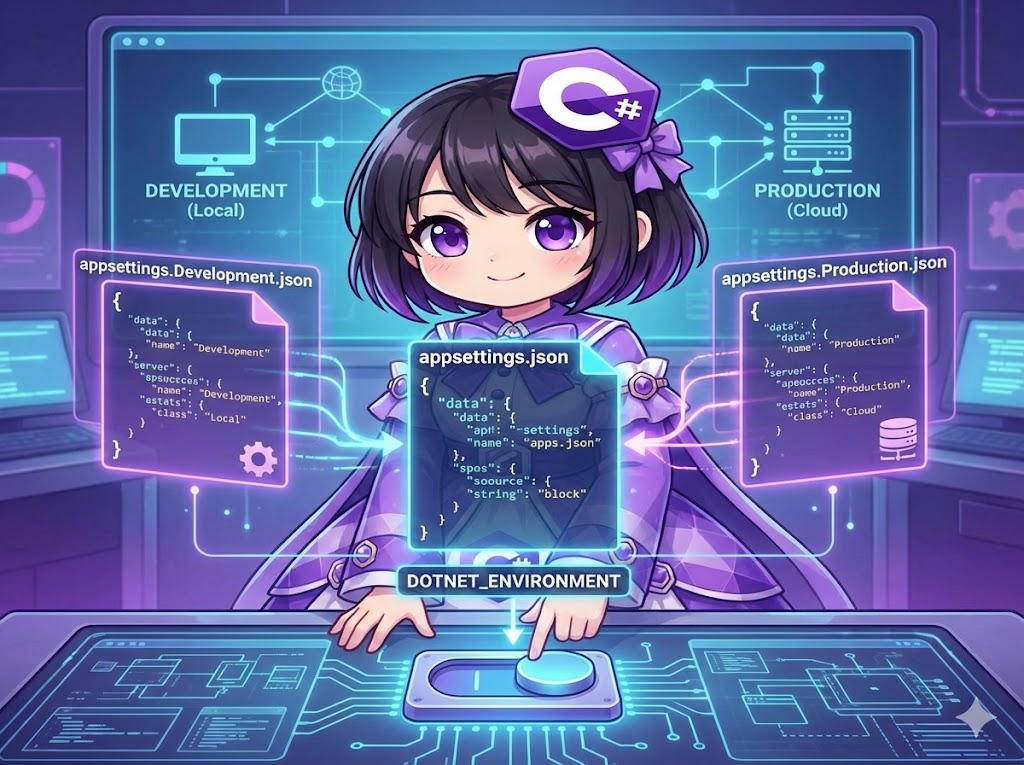
This implementation allows you to apply different settings for environments such as Development, Staging, and Production. The .NET configuration system first reads the base appsettings.json. Then, it merges the appsettings.{Environment}.json file that matches the DOTNET_ENVIRONMENT environment variable. This way, you only need to manage the values that are specific to each environment.
Specifications (Input/Output)
Input
appsettings.json(Common and default settings)appsettings.Development.json(Overrides for development)appsettings.Production.json(Overrides for production)- Environment variable:
DOTNET_ENVIRONMENT
Output
- Configuration values merged according to the current environment.
Behavior
If a key exists in the override file, it overwrites the value from the base file. If the key is missing in the override file, the base file’s value is kept.
Configuration File Definitions
Create the following three JSON files in your project root and set “Copy to Output Directory” to “Copy if newer” or “Copy always.”
1. appsettings.json (Base)
{
  "Logging": {
    "LogLevel": {
      "Default": "Warning"
    }
  },
  "BaseUrl": "http://localhost/website/",
  "Message": "Value from appsettings.json (Default)"
}
2. appsettings.Development.json (For Development)
This file overrides only the Message key.
{
  "Message": "Value from appsettings.Development.json (Dev Mode)"
}
3. appsettings.Production.json (For Production)
This file overrides only the BaseUrl key.
{
  "BaseUrl": "http://example.com/website/"
}
Full Code
This is a worker class to check the current environment name and the merged configuration values.
using System;
using System.Threading.Tasks;
using Microsoft.Extensions.Configuration;
using Microsoft.Extensions.Hosting;
using Microsoft.Extensions.Logging;

namespace EnvConfigSample
{
    public class ConfigPrinterWorker : IConsoleWorker
    {
        private readonly IConfiguration _configuration;
        private readonly IHostEnvironment _env;
        private readonly ILogger<ConfigPrinterWorker> _logger;

        // IConfiguration: Access to configuration values
        // IHostEnvironment: Check current environment name (Development, Production, etc.)
        public ConfigPrinterWorker(
            IConfiguration configuration,
            IHostEnvironment env,
            ILogger<ConfigPrinterWorker> logger)
        {
            _configuration = configuration;
            _env = env;
            _logger = logger;
        }

        public Task RunAsync()
        {
            Console.WriteLine($"\n=== Current Environment: {_env.EnvironmentName} ===");

            // 1. Get BaseUrl
            // In Development, the base value is used because this key is missing in the override file.
            // In Production, the value from the override file is used.
            string baseUrl = _configuration["BaseUrl"];

            // 2. Get Message
            // In Development, the value from the override file is used.
            string message = _configuration["Message"];

            Console.WriteLine($"[Config] BaseUrl : {baseUrl}");
            Console.WriteLine($"[Config] Message : {message}");
            Console.WriteLine("=====================================\n");

            return Task.CompletedTask;
        }
    }

    // Interface definition
    public interface IConsoleWorker
    {
        Task RunAsync();
    }
}
Execution and Results
The file that gets loaded depends on the DOTNET_ENVIRONMENT variable.
Case 1: Development Environment
This is the default in Visual Studio. You can also run it with these commands:
# PowerShell example
$env:DOTNET_ENVIRONMENT = "Development"
dotnet run
Result: BaseUrl comes from the base file, and Message comes from the Development file.
=== Current Environment: Development ===
[Config] BaseUrl : http://localhost/website/
[Config] Message : Value from appsettings.Development.json (Dev Mode)
=====================================
Case 2: Production Environment
Use this when deploying to a production server or when explicitly specifying Production.
# PowerShell example
$env:DOTNET_ENVIRONMENT = "Production"
dotnet run
Result: BaseUrl comes from the Production file, and Message comes from the base file (because it is not defined in the Production JSON).
=== Current Environment: Production ===
[Config] BaseUrl : http://example.com/website/
[Config] Message : Value from appsettings.json (Default)
=====================================
Summary
By using the default builder in Microsoft.Extensions.Hosting, the rules for loading appsettings.{Environment}.json are applied automatically. You do not need to write conditional code like if (IsDevelopment). Simply switching the environment variable changes the settings, making management in deployment pipelines much easier.