Overview
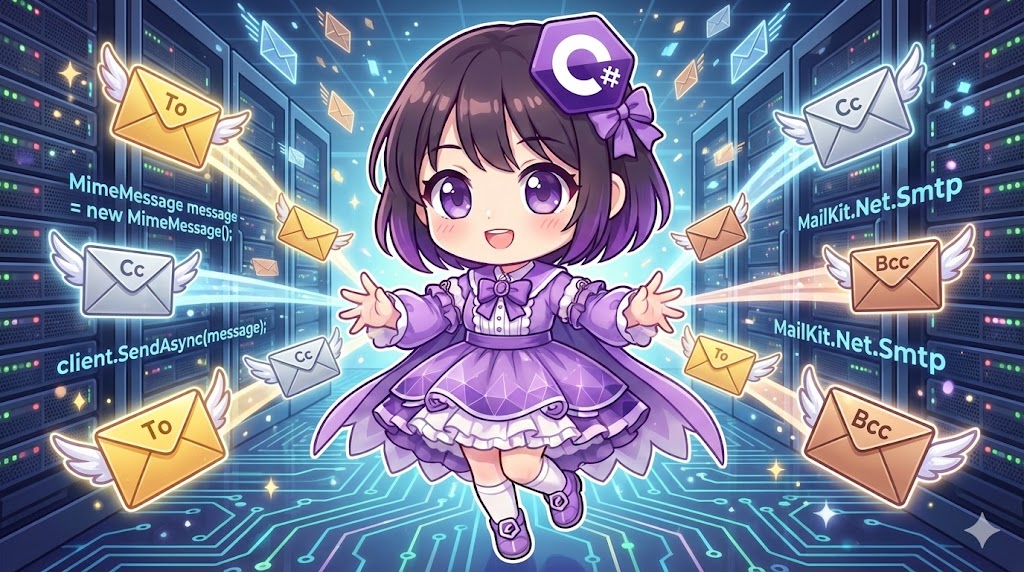
When implementing email functionality in .NET, the standard System.Net.Mail.SmtpClient is now considered obsolete. Microsoft recommends using the open-source library MailKit instead. By using MailKit, you can easily and securely handle SMTP transmission with modern security protocols, create HTML emails, and manage attachments. This article introduces an implementation using a wrapper class that allows flexible configuration of recipients (To, Cc, Bcc) to send text emails via an SMTP server.
Specifications (Input/Output)
- Input: Sender address, recipient lists (To/Cc/Bcc), subject, and body text.
- Output: Connection to the SMTP server and execution of email transmission.
- Prerequisites: .NET Standard 2.0 or higher. Requires the
MailKitNuGet package.
Package Installation
Run the following command to add the library to your project:
dotnet add package MailKit
Basic Usage
You create a MimeMessage object to set recipients and the body, then use SmtpClient (from the MailKit.Net.Smtp namespace) to send it. The basic flow consists of connecting, authenticating, sending, and disconnecting.
var message = new MimeMessage();
message.From.Add(new MailboxAddress("Sender Name", "sender@example.com"));
message.To.Add(new MailboxAddress("", "recipient@example.com"));
message.Subject = "Hello";
message.Body = new TextPart("plain") { Text = "Email content" };

using (var client = new SmtpClient())
{
    await client.ConnectAsync("smtp.server.com", 587, SecureSocketOptions.StartTls);
    await client.AuthenticateAsync("user", "password");
    await client.SendAsync(message);
    await client.DisconnectAsync(true);
}
Full Code Example
The following code is a complete implementation that supports multiple To/Cc/Bcc recipients and properly handles error management and resource disposal.
using System;
using System.Collections.Generic;
using System.Linq;
using System.Threading.Tasks;
using MailKit.Net.Smtp;
using MailKit.Security;
using MimeKit;

class Program
{
    static async Task Main()
    {
        // Construct email information
        var mailService = new EmailService
        {
            From = "my_account@example.com", // Sender
            Subject = "Test Email",
            Body = "This is a test email sent using MailKit from C#."
        };

        // Add recipients to the list
        mailService.To.Add("mori01@example.com");
        mailService.To.Add("mori02@example.com");

        // Add CC/BCC if necessary
        mailService.Cc.Add("manager@example.com");

        Console.WriteLine("Starting email transmission...");

        try
        {
            await mailService.SendMailAsync();
            Console.WriteLine("Email sent successfully.");
        }
        catch (Exception ex)
        {
            Console.WriteLine($"Send Error: {ex.Message}");
        }
    }
}

// Class that encapsulates email sending functionality
public class EmailService
{
    // SMTP Server Settings (Usually loaded from a config file)
    private const string SmtpHost = "smtp.example.com";
    private const int SmtpPort = 587;
    private const string SmtpUser = "your_username";
    private const string SmtpPass = "your_password";

    public List<string> To { get; set; } = new List<string>();
    public List<string> Cc { get; set; } = new List<string>();
    public List<string> Bcc { get; set; } = new List<string>();
    public string From { get; set; } = string.Empty;
    public string Subject { get; set; } = string.Empty;
    public string Body { get; set; } = string.Empty;

    public async Task SendMailAsync()
    {
        // 1. Create the message
        var message = new MimeMessage();

        // Set Sender
        message.From.Add(new MailboxAddress(GetNameFromAddress(From), From));

        // Add Recipients (To)
        foreach (var addr in To)
        {
            message.To.Add(new MailboxAddress(GetNameFromAddress(addr), addr));
        }

        // Add Cc
        foreach (var addr in Cc)
        {
            message.Cc.Add(new MailboxAddress(GetNameFromAddress(addr), addr));
        }

        // Add Bcc
        foreach (var addr in Bcc)
        {
            message.Bcc.Add(new MailboxAddress(GetNameFromAddress(addr), addr));
        }

        message.Subject = Subject;

        // Set Body (using TextPart)
        // For HTML emails, use "html" or the BodyBuilder class
        var builder = new BodyBuilder();
        builder.TextBody = Body;
        message.Body = builder.ToMessageBody();

        // 2. Send via SMTP Client
        using (var client = new SmtpClient())
        {
            // Connection
            // Use Auto for automatic SSL/TLS negotiation
            await client.ConnectAsync(SmtpHost, SmtpPort, SecureSocketOptions.Auto);

            // Authentication
            // For Gmail, you may need an "App Password" instead of your regular password
            await client.AuthenticateAsync(SmtpUser, SmtpPass);

            // Send
            await client.SendAsync(message);

            // Disconnect
            await client.DisconnectAsync(true);
        }
    }

    // Helper to extract a display name (the part before @) from an email address
    private static string GetNameFromAddress(string mailAddress)
    {
        if (string.IsNullOrEmpty(mailAddress)) return string.Empty;

        int atIndex = mailAddress.IndexOf('@');
        return atIndex > 0 ? mailAddress.Substring(0, atIndex) : mailAddress;
    }
}
Customization Points
- Gmail Settings: To send via Gmail, you must generate an “App Password” in your Google account security settings and use it as the password. Use port 587 (StartTLS) or 465 (SSL).
- HTML Emails: You can send formatted emails by assigning a string with HTML tags to
builder.HtmlBodyinstead ofbuilder.TextBody. - Attachments: You can attach files simply by using
builder.Attachments.Add("path/to/file.pdf");.
Important Notes
- Port Numbers and Security: Usually, submission port 587 (
SecureSocketOptions.StartTls) or 465 (SecureSocketOptions.SslOnConnect) is used. Avoid port 25 as it is often blocked by ISPs. - Exception Handling: Network failures and authentication errors are common. Use try-catch blocks to catch
SmtpCommandExceptionorProtocolExceptionand log them properly. - From Address Restrictions: Many SMTP servers prohibit setting a
Fromaddress that differs from the account used for authentication to prevent spoofing.
Conclusion
By adopting MailKit instead of the obsolete standard classes for email transmission in .NET, you can ensure compliance with modern security standards. Encapsulating the construction of MimeMessage and the looping of recipient lists into a dedicated service class keeps your main logic clean and reusable. Since SMTP server details are sensitive, ensure you load them from environment variables or secure configuration systems rather than hard-coding them in your source code.