Overview
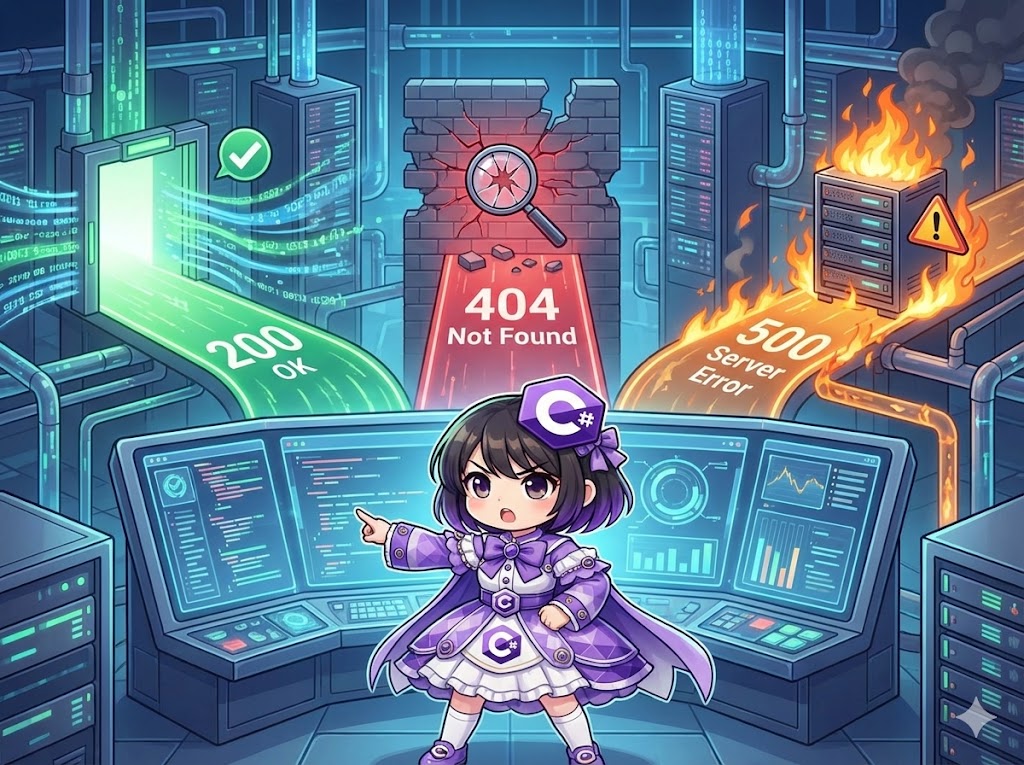
When sending web requests using HttpClient, a communication success doesn’t always mean the server processed the request as intended. The server might return “Page Not Found (404)” or an “Internal Error (500).” By checking the HttpResponseMessage.StatusCode property, you can implement appropriate branching logic, such as reading data on success or logging errors on failure.
Specifications (Input/Output)
- Input: Target URL for the request.
- Output: HTTP status code (numeric and name) and a specific processing message based on the result.
- Prerequisite: Uses the standard .NET library (
System.Net.Http).
Basic Usage
Reference the StatusCode property from the HttpResponseMessage object returned by methods like GetAsync and compare it with the HttpStatusCode enum.
HttpResponseMessage response = await client.GetAsync(url);

// Check if it is 200 OK
if (response.StatusCode == HttpStatusCode.OK)
{
    // Success logic
}
// Check if it is 404 Not Found
else if (response.StatusCode == HttpStatusCode.NotFound)
{
    // Error logic
}
Full Code Example
The following implementation simulates different status codes (success, 404 error, and other errors) and switches console output accordingly.
using System;
using System.Net; // Required for HttpStatusCode
using System.Net.Http;
using System.Threading.Tasks;

class Program
{
    private static readonly HttpClient _client = new HttpClient();

    static async Task Main()
    {
        // 1. Access a normal URL (200 OK)
        await CheckUrlAsync("http://httpbin.org/status/200");

        Console.WriteLine();

        // 2. Access a non-existent URL (404 Not Found)
        await CheckUrlAsync("http://httpbin.org/status/404");

        Console.WriteLine();

        // 3. Access a URL that triggers a server error (503 Service Unavailable)
        await CheckUrlAsync("http://httpbin.org/status/503");
    }

    static async Task CheckUrlAsync(string url)
    {
        Console.WriteLine($"Accessing: {url} ...");

        try
        {
            // GetAsync returns a response even for 404 or 500 without throwing an exception
            using var response = await _client.GetAsync(url);

            // Display status code
            // Casting to (int) gives the number (e.g., 200), outputting directly gives the name (e.g., OK)
            Console.WriteLine($"Result: {(int)response.StatusCode} {response.StatusCode}");

            // Branching based on status code
            switch (response.StatusCode)
            {
                case HttpStatusCode.OK:
                    string content = await response.Content.ReadAsStringAsync();
                    Console.WriteLine("Success: Data retrieved.");
                    break;

                case HttpStatusCode.Created:
                    Console.WriteLine("Success: Resource created.");
                    break;

                case HttpStatusCode.NotFound:
                    Console.WriteLine("Error: The specified page was not found.");
                    break;

                case HttpStatusCode.InternalServerError:
                    Console.WriteLine("Error: An internal server error occurred.");
                    break;

                case HttpStatusCode.ServiceUnavailable:
                    Console.WriteLine("Error: The server is under maintenance or high load.");
                    break;

                default:
                    // Use IsSuccessStatusCode to check for any 200-range (200-299) codes
                    if (response.IsSuccessStatusCode)
                    {
                        Console.WriteLine("Success: Other successful response.");
                    }
                    else
                    {
                        Console.WriteLine("Failure: Other error occurred.");
                    }
                    break;
            }
        }
        catch (HttpRequestException ex)
        {
            Console.WriteLine($"Communication Error (e.g., DNS failure): {ex.Message}");
        }
    }
}
Common HttpStatusCode Values
| Field | Value (int) | Description |
| OK | 200 | The request succeeded. The most common success response. |
| Created | 201 | The request succeeded and a new resource was created. |
| NoContent | 204 | The request succeeded, but there is no content to return. |
| MovedPermanently | 301 | The resource has been moved permanently (Redirect). |
| BadRequest | 400 | The server cannot process the request due to malformed syntax. |
| Unauthorized | 401 | Authentication is required or has failed. |
| Forbidden | 403 | The client does not have access rights to the content. |
| NotFound | 404 | The server cannot find the requested resource. |
| Conflict | 409 | The request conflicts with the current state of the server. |
| InternalServerError | 500 | An unexpected condition was encountered by the server. |
| ServiceUnavailable | 503 | The server is currently unable to handle the request (Overload/Maintenance). |
Customization Points
- Simple Success Check: If you only need to know if the request falls within the 200-299 range, use the
response.IsSuccessStatusCodeboolean property. - Forced Exceptions: To immediately throw an exception if an error code is returned, call
response.EnsureSuccessStatusCode(). This will throw anHttpRequestExceptionfor 4xx or 5xx codes. - Integer Validation: If you encounter non-standard codes not defined in the
HttpStatusCodeenum, cast the status code to(int)for comparison.
Important Notes
- Exception vs. Status Code: The
GetAsyncmethod does not throw exceptions as long as the server provides a response (including 404 or 500). Exceptions only occur during communication-level errors like DNS failures, timeouts, or network disconnections. Checking theStatusCodeis mandatory. - Redirects: By default,
HttpClientautomatically follows 301 and 302 redirects. To detect 3xx status codes manually, you must setHttpClientHandler.AllowAutoRedirect = false.
Advanced Application
Ensuring Success in a Pattern
If you want to halt processing immediately on error, using EnsureSuccessStatusCode keeps the code concise.
var response = await _client.GetAsync(url);

// Throws an exception if not 200-299, jumping to the catch block
response.EnsureSuccessStatusCode();

// Reaching this point guarantees the request was successful
var html = await response.Content.ReadAsStringAsync();
Conclusion
Checking HTTP status codes is the cornerstone of error handling when working with Web APIs or scraping. Handling specific errors like NotFound or InternalServerError explicitly improves application robustness. It is recommended to use the HttpStatusCode enum for readability and combine it with IsSuccessStatusCode for broader validation.