Overview
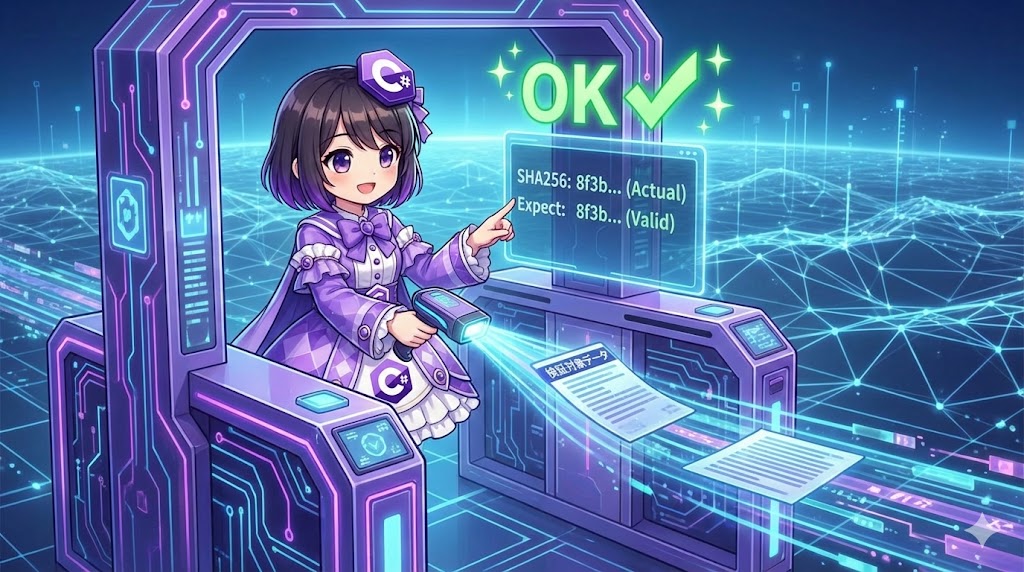
This implementation verifies whether data has been tampered with or corrupted during communication or storage. By comparing the hash value (digest) calculated from the original data with the hash value of the target data, you can perform a strict check where even a 1-bit difference is considered invalid.
Specifications (Input/Output)
- Input:
- String data to verify.
- The expected “correct” hash value (byte array).
- Output: A boolean value (
bool) indicating whether they match. - Behavior: Calculates the hash of the input data again and compares it with the expected value.
Basic Usage
using System.Security.Cryptography;
using System.Text;

// Data to compare
var commands = "Execute_System_Update";
var validHash = GetHash(commands); // Normally retrieved from a database, etc.

// Verification
if (VerifyIntegrity(commands, validHash))
{
    Console.WriteLine("Data is valid.");
}
Full Code Example
The following code is a console application that includes hash generation and byte array comparison logic.
using System;
using System.Linq;
using System.Security.Cryptography;
using System.Text;

class Program
{
    static void Main()
    {
        // 1. Prepare test data
        // Assume this is server configuration or critical transaction data
        string criticalData = "ConfigVersion=2.5;Mode=Secure;";

        Console.WriteLine($"[Target Data] {criticalData}");

        // 2. Generate the "correct" hash value
        // In practice, this hash should be retrieved from a trusted source (DB or separate channel)
        byte[] trustedHash = ComputeSha256Hash(criticalData);
        Console.WriteLine($"[Trusted Hash] {Convert.ToBase64String(trustedHash)}\n");

        // 3. Verification with valid data (Should be True)
        string incomingData1 = "ConfigVersion=2.5;Mode=Secure;";
        bool isSafe1 = ValidateHash(incomingData1, trustedHash);
        Console.WriteLine($"Check 1 (Valid):   {isSafe1}");

        // 4. Verification with tampered data (Should be False)
        string incomingData2 = "ConfigVersion=2.5;Mode=Insecure;"; // Partially modified
        bool isSafe2 = ValidateHash(incomingData2, trustedHash);
        Console.WriteLine($"Check 2 (Invalid): {isSafe2}");
    }

    /// <summary>
    /// Calculates the SHA256 hash from a string and returns it.
    /// </summary>
    static byte[] ComputeSha256Hash(string input)
    {
        // It is standard to use UTF-8 encoding
        byte[] buffer = Encoding.UTF8.GetBytes(input);

        // Create SHA256 instance (Create method is recommended)
        using var algorithm = SHA256.Create();
        return algorithm.ComputeHash(buffer);
    }

    /// <summary>
    /// Verifies if the data matches the expected hash value.
    /// </summary>
    static bool ValidateHash(string input, byte[] expectedHash)
    {
        // Calculate hash of the input data to be verified
        byte[] actualHash = ComputeSha256Hash(input);

        // Compare array contents
        // SequenceEqual is provided by LINQ
        return actualHash.SequenceEqual(expectedHash);
    }
}
Customization Points
- Changing Comparison Algorithm: To maximize security, use
System.Security.Cryptography.CryptographicOperations.FixedTimeEqualsinstead of the standardSequenceEqual. By making the comparison time constant, you can prevent “timing attacks” where attackers guess the correct value based on processing time. - Algorithm Strength: While standard
SHA256is used here, you can switch toSHA512for higher strength simply by changing theCreatemethod. AvoidSHA1for security-sensitive tasks.
Important Notes
- Encoding Mismatch: Hash values are calculated against byte arrays. The same string will produce completely different hashes in
UTF-8vs.Shift-JIS. Ensure encoding is strictly unified across your system. - Irreversibility: It is impossible to restore the original data from a hash value. Hashing is not suitable for data backup.
- Algorithm Lifespan:
MD5andSHA1are no longer considered secure due to collision resistance vulnerabilities. Always chooseSHA256or higher for tamper detection and verification.
Advanced Usage
Comparison Method Resistant to Timing Attacks
This implementation is ideal for verifying authentication tokens or sensitive hashes.
static bool ValidateSecurely(string input, byte[] expectedHash)
{
    byte[] actualHash = ComputeSha256Hash(input);

    // Performs comparison in a fixed amount of time regardless of content
    return CryptographicOperations.FixedTimeEquals(actualHash, expectedHash);
}
Conclusion
Data integrity verification is achieved by hashing input data using the same algorithm and performing a binary-level comparison with the expected value. Consistent encoding throughout the system is mandatory. For high-security requirements, ensure that the comparison logic is protected against timing attacks.