Overview
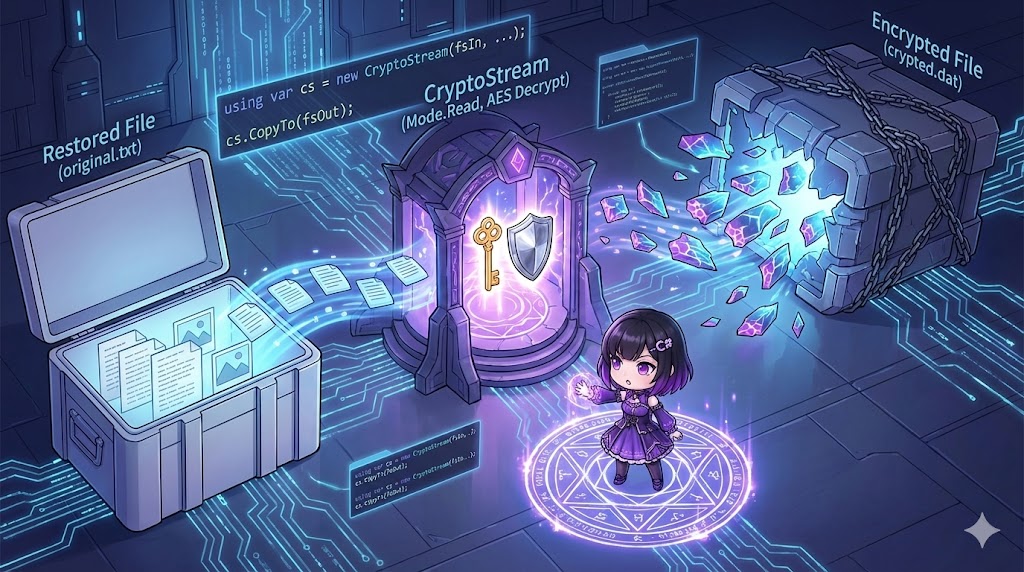
This article explains how to return an encrypted string (in Base64 format) back to its original plaintext using a shared Key and Initialization Vector (IV). The decryption process is the reverse of encryption. You use CryptoStream in Read mode to convert the encrypted byte data through a stream and then retrieve it as a string using StreamReader.
Specifications (Input/Output)
- Input: Encrypted string (Base64), decryption Key (byte array), and IV (byte array).
- Output: Decrypted plaintext string.
- Prerequisites: Uses the .NET standard library (
System.Security.Cryptography). The algorithm is AES.
Basic Usage
The decryption flow consists of these three steps:
- MemoryStream: Load the encrypted byte array as the data source.
- CryptoStream: Set to
Readmode and act as a filter that performs the decryption. - StreamReader: Read the resulting plaintext from the filter as a string.
// 1. Convert Base64 back to a byte array
byte[] cipherBytes = Convert.FromBase64String(encryptedString);

// 2. Build the streams and read
using var ms = new MemoryStream(cipherBytes);
using var cs = new CryptoStream(ms, aes.CreateDecryptor(), CryptoStreamMode.Read);
using var sr = new StreamReader(cs);

// 3. Retrieve the string
string plainText = sr.ReadToEnd();
Full Code Example
The following implementation is a standalone class. Note that the Key and IV must be exactly the same as the ones used during encryption.
using System;
using System.IO;
using System.Security.Cryptography;
using System.Text;

class Program
{
    static void Main()
    {
        // Generate a valid Key and IV for testing purposes
        // (In a real scenario, use the same Key and IV used for encryption)
        using var aes = Aes.Create();
        aes.KeySize = 256;
        aes.GenerateKey();
        aes.GenerateIV();

        byte[] myKey = aes.Key;
        byte[] myIV = aes.IV;

        // Initialize the class
        var encryptor = new StringEncrypter(myKey, myIV);

        // Encrypt "Hello World" for testing
        string original = "Hello World";
        string encrypted = encryptor.Encrypt(original);

        Console.WriteLine($"Encrypted: {encrypted}");

        // --- Execute Decryption ---
        string decrypted = encryptor.Decrypt(encrypted);
        Console.WriteLine($"Decrypted: {decrypted}");
    }
}

public class StringEncrypter
{
    public byte[] Key { get; private set; }
    public byte[] IV { get; private set; }

    public StringEncrypter(byte[] key = null, byte[] iv = null)
    {
        using var aes = Aes.Create();
        Key = key ?? aes.Key;
        IV = iv ?? aes.IV;
    }

    // Decryption Method
    public string Decrypt(string encryptedText)
    {
        if (string.IsNullOrEmpty(encryptedText)) return string.Empty;

        // 1. Convert Base64 string to byte array
        var cipherBytes = Convert.FromBase64String(encryptedText);

        // 2. Setup AES object
        using var aes = Aes.Create();
        aes.Key = Key;
        aes.IV = IV;

        // 3. Create the Decryptor
        using var decryptor = aes.CreateDecryptor(aes.Key, aes.IV);

        // 4. Build the stream chain
        // MemoryStream (Cipher Data) -> CryptoStream (Decryption) -> StreamReader (To String)
        using var memStream = new MemoryStream(cipherBytes);
        using var cryptoStream = new CryptoStream(memStream, decryptor, CryptoStreamMode.Read);
        using var reader = new StreamReader(cryptoStream);

        // 5. Read the decrypted data to the end
        return reader.ReadToEnd();
    }

    // Reference Encryption Method
    public string Encrypt(string plainText)
    {
        if (string.IsNullOrEmpty(plainText)) return string.Empty;
        using var aes = Aes.Create();
        using var encryptor = aes.CreateEncryptor(Key, IV);
        using var ms = new MemoryStream();
        using (var cs = new CryptoStream(ms, encryptor, CryptoStreamMode.Write))
        using (var sw = new StreamWriter(cs))
        {
            sw.Write(plainText);
        }
        return Convert.ToBase64String(ms.ToArray());
    }
}
Customization Points
- Stream Modes: While
CryptoStreamMode.Writeis used for encryption,CryptoStreamMode.Readis standard for decryption because you are reading from a source to transform it. - Encoding:
StreamReaderuses UTF-8 by default. If your original data was encrypted using a different encoding (like Shift-JIS), you must specify it:new StreamReader(cryptoStream, Encoding.GetEncoding("Shift_JIS")).
Important Notes
- Padding Errors: If the Key or IV is incorrect, or if the data is corrupted, a
CryptographicExceptionstating “Padding is invalid” will occur when callingsr.ReadToEnd(). - Base64 Format: The string passed to the
Decryptmethod must be a valid Base64 string. If you are using “URL-safe Base64” where certain symbols are replaced, you must convert it back to standard Base64 before decryption.
Conclusion
Decrypting strings in symmetric encryption involves converting binary encrypted data back into plaintext by passing it through a CryptoStream in read mode. The essential requirement is using the exact same Key and IV that were used for encryption. If these do not match, an exception will be thrown, and the data cannot be recovered.