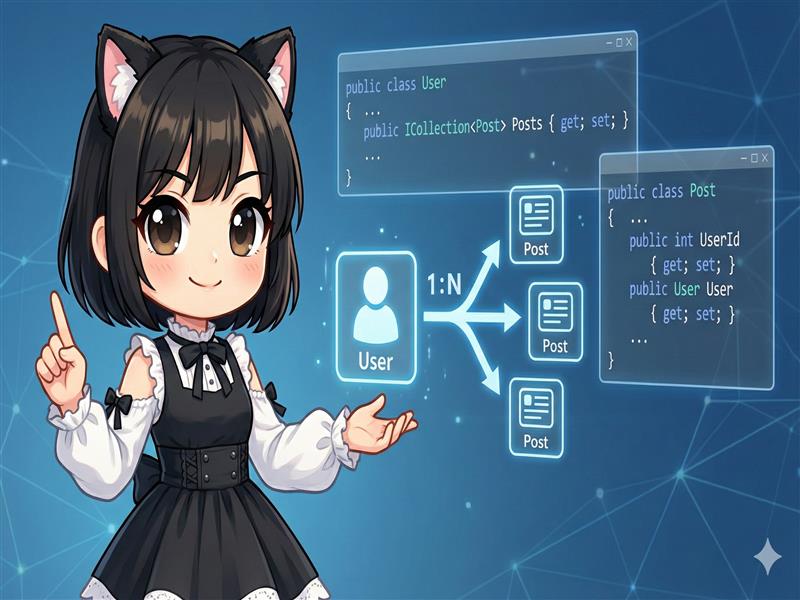
In database design, relationships like “One User to Many Posts” are very common. In Entity Framework Core (EF Core), you can automatically create relationships and foreign key constraints by defining navigation properties (properties that reference the related class) between your classes.
Implementation Sample: One-to-Many Relationship between User and Post
The following code defines a relationship where one User can have multiple Posts, and each Post must belong to exactly one User.
Model.cs
using System;
using System.Collections.Generic; // Required to use ICollection

public class User
{
    // Primary Key
    public int UserId { get; set; }

    public string Name { get; set; }
    public string Email { get; set; }

    // [Parent Side Configuration]
    // Since one user has multiple posts, define it as a collection (list).
    // This is called a "Collection Navigation Property."
    public ICollection<Post> Posts { get; set; } = new List<Post>();
}

public class Post
{
    // Primary Key
    public int PostId { get; set; }

    public string Message { get; set; }
    public DateTime SentTime { get; set; }

    // [Foreign Key (FK)]
    // By following the naming convention "Referenced Class Name + Id,"
    // it is automatically recognized as a foreign key.
    public int UserId { get; set; }

    // [Child Side Configuration]
    // This represents which user this post belongs to.
    // This is called a "Reference Navigation Property."
    public User User { get; set; }
}
ExampleDbContext.cs
Add the models with relationships to your DbContext. Usually, you include both the parent (User) and the child (Post) in the DbSet.
using Microsoft.EntityFrameworkCore;

public class ExampleDbContext : DbContext
{
    protected override void OnConfiguring(DbContextOptionsBuilder options)
        => options.UseSqlite("Data Source=example.db");

    public DbSet<User> Users { get; set; }
    public DbSet<Post> Posts { get; set; }
}
Explanation and Key Points
1. Navigation Properties
- In the User class:
public ICollection<Post> Posts { get; set; }This property allows you to access “a list of my own posts” from the user perspective. - In the Post class:
public User User { get; set; }This property allows you to access the “author of the post” from the post perspective.
2. Naming Conventions for Foreign Keys
According to EF Core conventions, properties in the following formats are automatically recognized as a Foreign Key (FK):
- NavigationPropertyName + PrincipalKeyPropertyName (e.g.,
UserId) - PrincipalClassName + PrincipalKeyPropertyName (e.g.,
UserId) - PrincipalKeyPropertyName (e.g.,
Id)
In this example, the primary key of the User class is UserId, and the Post class also has a property named UserId. Therefore, they are linked automatically.
3. Example of Saving Data
When a relationship is defined, you can save data while maintaining the parent-child relationship between objects.
using (var db = new ExampleDbContext())
{
    var user = new User { Name = "Gihyo Taro", Email = "taro@example.com" };

    // By adding a Post to the User's Posts collection, the UserId is automatically set.
    user.Posts.Add(new Post { Message = "Hello EF Core!", SentTime = DateTime.Now });
    user.Posts.Add(new Post { Message = "Second post.", SentTime = DateTime.Now });

    db.Users.Add(user);
    db.SaveChanges(); // The User and two Posts are saved at the same time, with foreign keys set correctly.
}