Overview
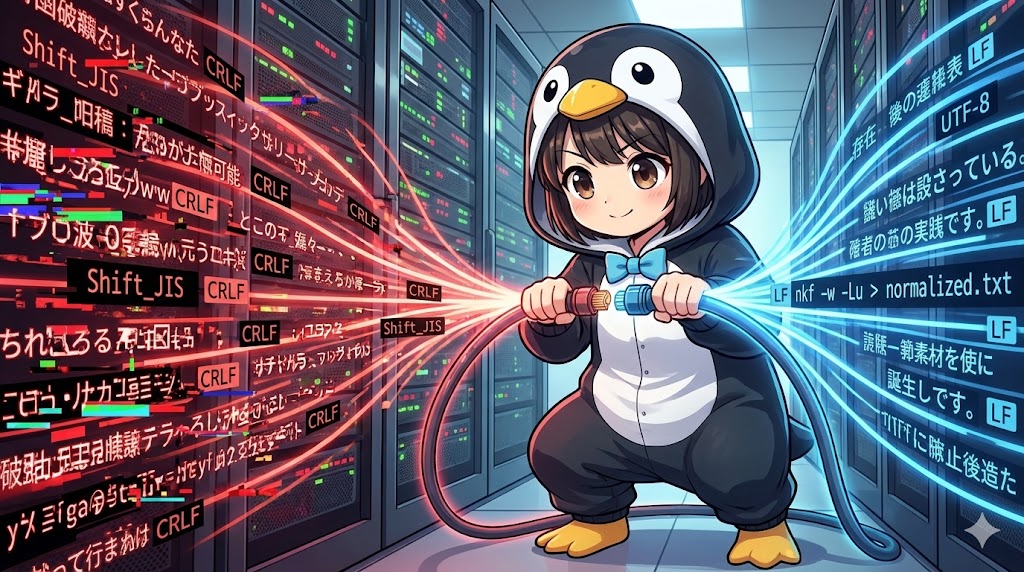
The nkf (Network Kanji Filter) command is a versatile tool used to automatically detect and convert character encodings and line endings in text files. It is particularly valuable in data migration tasks, such as converting Shift_JIS CSV files from legacy systems or fixing files created in Windows environments that use CRLF line endings. By standardizing these files to Linux-friendly formats like UTF-8 and LF, administrators can ensure data consistency across different platforms.
Specifications (Arguments and Options)
Syntax
BASH
nkf [options] [input_file_name]
Encoding Conversion and Detection Options
| Option | Description |
| -g | Automatically detects and displays the character encoding of the input file. |
| -j | Converts the output to JIS (ISO-2022-JP). |
| -e | Converts the output to EUC-JP. |
| -s | Converts the output to Shift_JIS. |
| -w, -w8 | Converts the output to UTF-8 (without BOM). |
| -w16 | Converts the output to UTF-16. |
| –oc=CODE | Explicitly specifies the output character encoding. |
| -J | Assumes the input is in JIS. |
| -E | Assumes the input is in EUC-JP. |
| -S | Assumes the input is in Shift_JIS. |
| -W, -W8 | Assumes the input is in UTF-8. |
| -W16 | Assumes the input is in UTF-16. |
| –ic=CODE | Explicitly specifies the input character encoding. |
Line Ending and Special Processing Options
| Option | Description |
| -Lw | Converts line endings to Windows format (CRLF). |
| -Lu | Converts line endings to Unix format (LF). |
| -Lm | Converts line endings to old Mac format (CR). |
| -r | Applies ROT13 (a simple Caesar cipher) to the text. |
| -mQ | Decodes MIME Quoted-printable. |
| -mB | Decodes MIME Base64. |
| -mO | Disables MIME conversion. |
| -M | Converts the output to MIME format. |
| -MB | Converts the output to MIME (Base64) format. |
| -x | Preserves half-width Katakana without converting them to full-width. |
| -X | Converts half-width Katakana to full-width Katakana. |
| -B | Fixes and reads “broken” JIS code. |
Basic Usage
In this scenario, a system administrator needs to process a legacy customer management list received from an external vendor. The file is in Shift_JIS format, and it must be converted to EUC-JP for use on an internal database server.
BASH
# Convert a legacy customer data file to EUC-JP and save it
nkf -e /home/admin/imports/legacy_customer_list.csv > /home/admin/exports/customer_euc.csv

# Verify the character encoding of the converted file
nkf -g /home/admin/exports/customer_euc.csv
TEXT
EUC-JP
Practical Commands
The following procedure handles a common task where log files generated on a Windows server need to be normalized to the Linux standard (UTF-8 with LF line endings).
BASH
# Convert a Windows system log (Shift_JIS/CRLF) to UTF-8/LF
# Input: system_log_win.log
nkf -w -Lu /var/data/inventory-service/system_log_win.log > /var/data/inventory-service/system_log_linux.log

# Check the file properties to confirm the changes
file /var/data/inventory-service/system_log_linux.log
TEXT
/var/data/inventory-service/system_log_linux.log: UTF-8 Unicode text
Customization Tips
By choosing different output flags such as -w (UTF-8), -s (Shift_JIS), or -e (EUC-JP), files can be adapted to the specific requirements of any target system. To update the original file directly without using redirection, the –overwrite option can be added. Additionally, using -Lw allows for the conversion of Linux text files into a format that Windows users can easily view in standard text editors.
Important Notes
Automatic detection can sometimes fail with extremely short files or files containing mixed encodings. In such cases, it is safer to explicitly define the input encoding using options like -S or -W. By default, nkf does not add a Byte Order Mark (BOM) when converting to UTF-8; ensure a check is performed if specific software requires a BOM before processing. Furthermore, nkf typically converts half-width Katakana to full-width by default, so the -x option is essential if there is a need to maintain the original half-width characters.
Advanced Applications
An administrator can use the ROT13 (-r) option for simple obfuscation of internal briefing documents or to revert such files to their original state.
BASH
# Obfuscate a briefing file using ROT13 (shifts letters by 13 positions)
nkf -r /home/admin/memos/security_briefing.txt > /home/admin/memos/encrypted_memo.txt

# Revert the obfuscated file to its original state
nkf -r /home/admin/memos/encrypted_memo.txt
TEXT
# Before obfuscation
Team Admin: Deployment scheduled for tonight.

# After obfuscation (encrypted_memo.txt)
Grnz Nqzva: Qrcyblzrag fpurqhyrq sbe gbavtug.
Summary
The nkf command is an essential tool for resolving garbled text and program errors caused by inconsistencies in character encodings or line endings. It supports a wide range of tasks, from simple data normalization during OS transitions to specialized text processing like ROT13 obfuscation. To maintain a professional and reliable workflow, it is best to back up original data and use the -g option to verify encoding states throughout the conversion process. This ensures that data remains accessible and accurate when moving across different platforms or legacy systems.