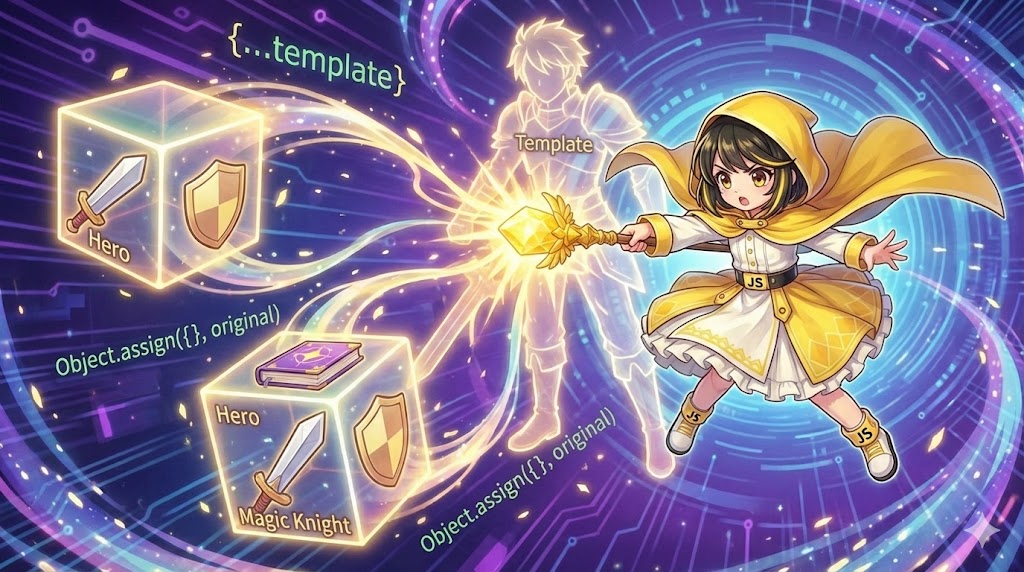
Overview
JavaScript objects are handled by “reference.” This means if you simply assign const b = a;, you are not creating a copy. If you change b, a will also change. To handle them as separate, independent data, you must explicitly create a “clone.” In modern JavaScript, using the spread syntax {...obj} is the standard approach. In this article, we will implement a process to clone and customize character settings from a template, using an RPG character creation theme.
Specifications (Syntax)
Object Cloning Methods
| Method | Syntax | Features |
| Spread Syntax | const copy = { ...original }; | Recommended. Introduced in ES2018. Concise and easy to read. |
| Object.assign | const copy = Object.assign({}, original); | Conventional method. Also used to merge multiple objects. |
Important Note: Both of these perform a Shallow Copy. Properties at the top level of the object are cloned, but nested arrays or objects are still shared as “references.”
Basic Usage
1. Spread Syntax {…}
This expands an object and places its contents into new curly braces {}.
const baseStats = { hp: 100, mp: 50 };

// You can overwrite or add properties while cloning
const heroStats = { ...baseStats, mp: 200, attack: 15 };

console.log(heroStats);
// { hp: 100, mp: 200, attack: 15 }
2. Object.assign()
This merges the contents of the original object into an empty object {}.
const baseStats = { hp: 100, mp: 50 };

const enemyStats = Object.assign({}, baseStats);
Full Code (HTML / JavaScript)
This is a character creation screen for a game. We clone a “Basic Warrior Set (Template)” to create new characters, “Hero” and “Magic Knight.” We will also check the risks of shallow copying regarding equipment arrays.
HTML
<!DOCTYPE html>
<html lang="en">
<head>
    <meta charset="UTF-8">
    <meta name="viewport" content="width=device-width, initial-scale=1.0">
    <title>Character Maker</title>
    <style>
        .maker-panel {
            font-family: 'Courier New', monospace;
            max-width: 600px;
            background-color: #2c3e50;
            color: #ecf0f1;
            padding: 20px;
            border-radius: 8px;
        }
        h2 { margin-top: 0; color: #f1c40f; border-bottom: 2px solid #7f8c8d; padding-bottom: 10px; }

        .char-box {
            background-color: #34495e;
            margin-bottom: 15px;
            padding: 15px;
            border-radius: 4px;
            border-left: 5px solid #bdc3c7;
        }
        .char-title {
            font-weight: bold;
            color: #e67e22;
            margin-bottom: 5px;
            display: block;
        }
        .stats {
            font-size: 0.9rem;
            line-height: 1.6;
        }
        .equipment {
            color: #1abc9c;
        }

        button {
            background-color: #e74c3c;
            color: white;
            border: none;
            padding: 10px 20px;
            border-radius: 4px;
            cursor: pointer;
            font-size: 1rem;
            margin-top: 10px;
        }
        button:hover { background-color: #c0392b; }

        .note {
            font-size: 0.8rem;
            color: #95a5a6;
            margin-top: 10px;
        }
    </style>
</head>
<body>

<div class="maker-panel">
    <h2>Character Setting Clone</h2>

    <div id="char-list">
        </div>

    <button id="btn-clone">Clone and Create Characters</button>
    <div class="note">*Check the console to see shallow copy behavior.</div>
</div>

<script src="char_clone.js"></script>
</body>
</html>
JavaScript
/**
 * Character Creation Script
 * Demonstrating object cloning and shallow copy validation
 */

// 1. Template object (Source for copying)
const templateChar = {
    job: 'Warrior',
    level: 1,
    stats: {
        str: 10,
        int: 5
    },
    // Contains an array (Reference type)
    equipment: ['Copper Sword', 'Leather Armor']
};

const listArea = document.getElementById('char-list');
const btnClone = document.getElementById('btn-clone');

/**
 * Function to display character info as HTML
 */
const renderChar = (name, charObj) => {
    const div = document.createElement('div');
    div.className = 'char-box';
    div.innerHTML = `
        <span class="char-title">[${name}]</span>
        <div class="stats">
            Job: ${charObj.job} / Lv: ${charObj.level}<br>
            Stats: STR=${charObj.stats.str}, INT=${charObj.stats.int}<br>
            Equip: <span class="equipment">${charObj.equipment.join(', ')}</span>
        </div>
    `;
    listArea.appendChild(div);
};

/**
 * Execute cloning process
 */
const createCharacters = () => {
    listArea.innerHTML = ''; // Clear display

    // 1. Cloning with spread syntax {...} (Recommended)
    // Create Hero: Overwrite Job and change Level
    const hero = {
        ...templateChar,
        job: 'Hero',
        level: 50
    };

    // 2. Cloning with Object.assign({}, ...)
    // Create Magic Knight
    const magicKnight = Object.assign({}, templateChar);
    magicKnight.job = 'Magic Knight';
    magicKnight.stats = { str: 15, int: 15 }; // Overwriting the entire stats object (Safe)

    // * Demonstration of Shallow Copy risks
    // Try changing the Hero's equipment
    // Using destructive methods like push will change the original templateChar array too
    // This happens because they share the same reference
    hero.equipment.push('Hero Shield');

    // Display
    renderChar('Template (Original)', templateChar);
    renderChar('Hero (Spread Clone)', hero);
    renderChar('Magic Knight (Assign Clone)', magicKnight);

    console.log('--- Shallow Copy Check ---');
    console.log('Template Equip:', templateChar.equipment); // The shield was added here too!
    console.log('Hero Equip:', hero.equipment);
};

// Event listener
btnClone.addEventListener('click', createCharacters);
Custom Points
If you want to create a completely independent copy, including nested arrays or objects, use structuredClone().
const deepCopy = structuredClone(originalObject);
Using this ensures that changing the equipment array will not affect the original object.
Important Notes
Be careful with the syntax: use [...array] for copying arrays and {...object} for copying objects. Do not mix up the brackets. Also, remember the risks of shallow copying. As shown in the code above, if you modify nested arrays or child objects in a clone using methods like push, the original data will also be changed. To prevent this, you must copy nested parts individually or use structuredClone.
Summary
The basic rule is to use { ...obj } to create a copy so you can generate new data while keeping the original data intact. However, you must be careful with side effects because nested data only copies the “reference” (shallow copy). If you want to disconnect the data completely, use structuredClone(obj).