Overview
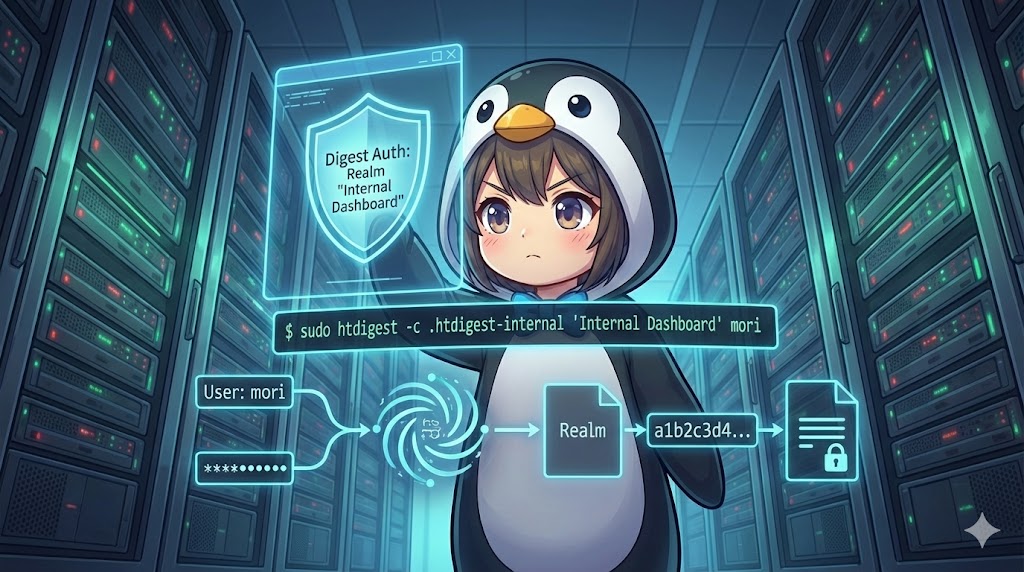
Digest authentication is a security method that does not send passwords in plain text over a network. Instead, it uses hashed values to verify credentials. The htdigest command is the primary tool used to manage the combination of usernames, realms (protected areas), and passwords required for this process. It provides a higher level of security compared to basic authentication and is ideal for protecting sensitive internal resources.
Specifications (Arguments and Options)
Syntax
BASH
htdigest [options] password_file realm username
Options
| Option | Description |
| -c | Creates a new password file. If a file already exists at the specified path, it will be overwritten. |
Basic Usage
In this scenario, a system administrator named mori_admin creates a new authentication file to protect a Logistics Analysis Portal. The realm name must exactly match the “AuthName” directive used in the Apache configuration files.
BASH
# The htdigest tool is part of apache2-utils (Ubuntu) or httpd-tools (RHEL/CentOS)
sudo apt update && sudo apt install -y apache2-utils

# Create a new file at /etc/apache2/.htdigest-logs
# Register mori_admin under the "Logistics Analysis Portal" realm
sudo htdigest -c /etc/apache2/.htdigest-logs "Logistics Analysis Portal" mori_admin
TEXT
Adding password for mori_admin in realm Logistics Analysis Portal.
New password:
Re-type new password:
Practical Commands
When adding additional team members to an existing system, you must omit the -c option to prevent deleting the existing user data. Here, mori_admin adds a secondary user to the same portal.
BASH
# Add or update a user in the existing .htdigest-logs file
# Ensure the realm name remains consistent with existing entries
sudo htdigest /etc/apache2/.htdigest-logs "Logistics Analysis Portal" mori_sub

# Verify the file content (Username:Realm:HashedPassword)
cat /etc/apache2/.htdigest-logs
TEXT
Adding user mori_sub in realm Logistics Analysis Portal
New password:
Re-type new password:
mori_sub:Logistics Analysis Portal:a1b2c3d4e5f6g7h8i9j0k1l2m3n4o5p6
Customization Tips
The realm name, such as “Logistics Analysis Portal,” must be a perfect match with the string defined in the web server configuration. If there is a single character difference, the authentication process will fail. Additionally, always place the password file in a directory that cannot be accessed directly from a web browser and set strict file permissions to protect the hashed data. The username does not need to match a real Linux system user; it is an independent identifier used only for the portal’s authentication.
Important Considerations
Matching the realm is the most frequent cause of login failures, so you should verify the Apache configuration carefully. Never use the -c option when you want to update an existing file, as it will initialize the file and erase all previously registered users. Furthermore, since htdigest is an interactive tool that prompts for passwords, you will need to use utilities like expect if you plan to automate this process within a shell script.
Advanced Applications
Administrators often need to audit the number of users or list members belonging to a specific department within the authentication file.
BASH
# Check the total number of users registered in the file
wc -l /etc/apache2/.htdigest-logs

# List all usernames specifically associated with the "Logistics Analysis Portal"
grep "Logistics Analysis Portal" /etc/apache2/.htdigest-logs | cut -d: -f1
TEXT
5 /etc/apache2/.htdigest-logs
mori_admin
mori_sub
Summary
Digest authentication is a robust method for protecting credentials through hashing, making the htdigest command an essential tool for secure server management. The key to successful operation lies in correctly choosing between the creation and update options and ensuring the realm name is synchronized perfectly with the web server settings. By applying proper directory placement and strict access controls, administrators can build a highly secure environment limited to authorized personnel and development teams.