Overview
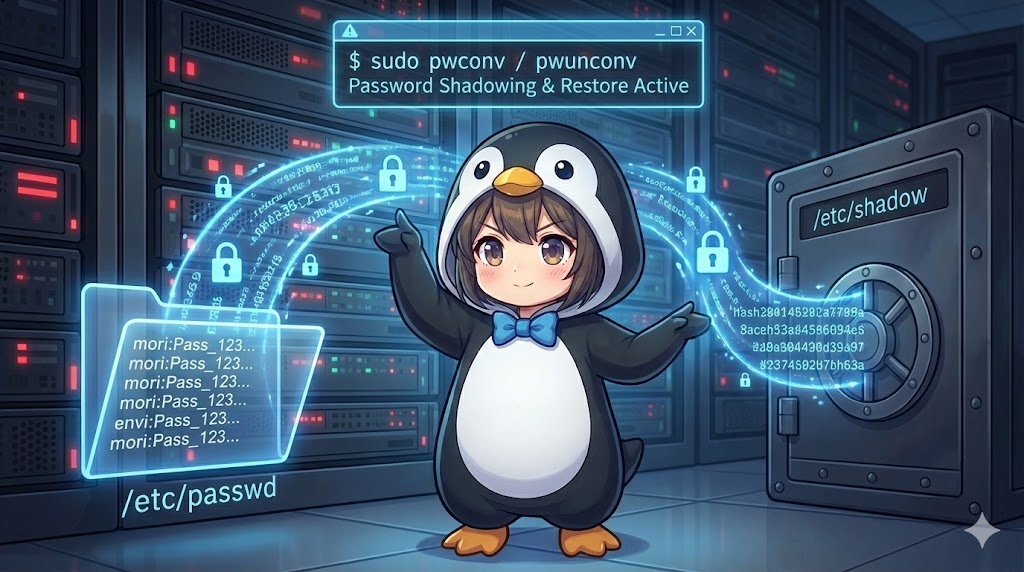
To enhance security on a Linux system, encrypted password information should be moved from the world-readable /etc/passwd file to the restricted /etc/shadow file, which only administrators can access. The tools used for this process, known as the pwconv suite, manage the transition between standard and shadow password formats. While shadow passwords are the default in modern environments, these commands remain essential for maintaining compatibility with legacy systems or organizing data during migrations to specific directory services.
Specifications (Command List)
This section outlines the functions of each command used to create, update, or integrate shadow files.
| Command | Description |
| pwconv | Creates or updates /etc/shadow based on /etc/passwd. It moves password data to the shadow file and replaces the password field in /etc/passwd with an ‘x’. |
| pwunconv | Removes /etc/shadow and restores the encrypted password data back into the original fields of /etc/passwd. |
| grpconv | Creates or updates /etc/gshadow from /etc/group to shadow-protect group passwords. |
| grpunconv | Removes /etc/gshadow and restores the group password information back into /etc/group. |
Practical Scenario: Hardening Security through Password Shadowing
In this scenario, a system administrator named audit_manager performs a security audit to ensure that no plain-text password hashes are exposed in /etc/passwd. The following procedure ensures a complete migration to the shadow password system.
BASH
# Check current file configuration and permissions for shadow files
ls -l /etc/passwd /etc/shadow

# Verify if the password for a specific user (e.g., audit_user) is already shadowed
grep audit_user /etc/passwd

# Execute the conversion to shadow passwords
sudo pwconv

# Verify the updated file structure and content
ls -l /etc/passwd /etc/shadow
grep audit_user /etc/passwd
sudo grep audit_user /etc/shadow
Group Information Shadowing
Similar to user accounts, shadowing group passwords prevents unauthorized users from gaining group-level privileges. This process isolates sensitive data for development teams or administrative groups.
BASH
# Execute shadowing for group passwords
sudo grpconv

# Verify the generation of the gshadow file
ls -l /etc/group /etc/gshadow

# To reverse the setting and integrate data back into /etc/group
sudo grpunconv
Important Considerations
Risk of Data Loss: When using pwunconv to disable shadowing, some information such as password aging details (last change date, maximum validity, etc.) may be lost because the standard /etc/passwd format cannot hold all the metadata stored in /etc/shadow.
Synchronization After Manual Edits: If you manually add a new user by editing /etc/passwd directly (e.g., using vipw), you must run pwconv immediately afterward. This ensures that a corresponding entry is correctly generated and synchronized in the shadow file.
Root Privileges Required: Since these commands modify critical system files within the /etc directory, they must always be executed with sudo or root privileges.
Summary
The pwconv and pwunconv commands are vital tools for physically changing how authentication data is stored on a system. They are particularly powerful when establishing a shadow password system to isolate and protect sensitive information for all accounts, including administrative profiles. While the need to disable shadowing is rare in modern Linux administration, understanding these conversion mechanisms allows an administrator to quickly identify and repair file inconsistencies during authentication failures.