目次
Overview
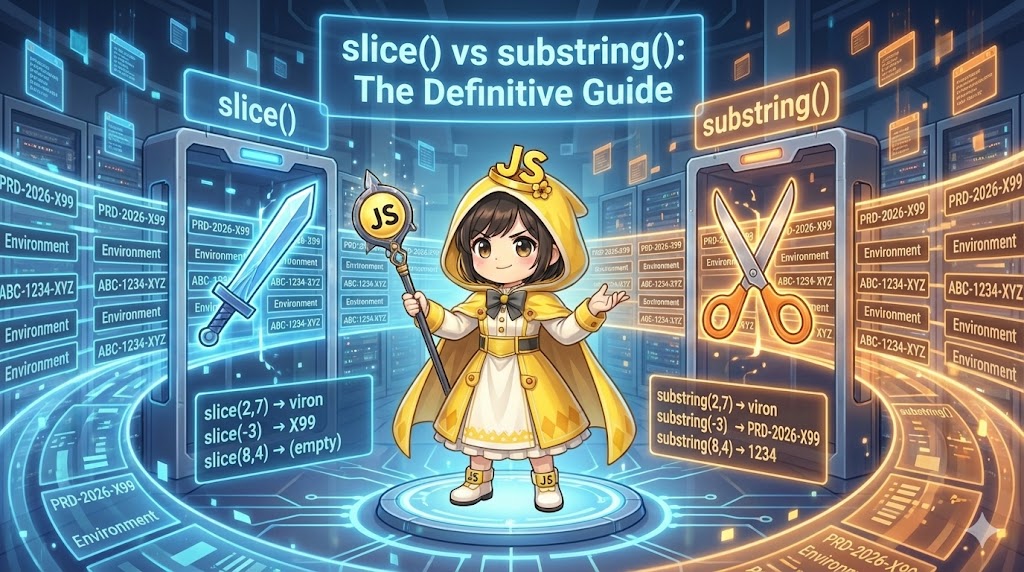
Extracting specific parts of a string is a common task used for analyzing IDs, formatting dates, or masking personal information. In JavaScript, slice() and substring() provide similar functionality, but their behavior differs significantly when using “negative numbers.” This article focuses on slice(), which is generally recommended for professional development, and explains the precise differences between the two methods using code-based examples.
Specifications (Input/Output)
- Input: A product serial code with a fixed format (e.g.,
PRD-2026-X99). - Output: The “Manufacturing Year,” “Identification ID,” and “Version Information” extracted from the code.
- Operation: Analyzes the entered serial code and displays the differences in results between
slice()andsubstring()on the screen for comparison.
Basic Usage
You can extract a part of a string by specifying a start position (0-based) and an end position (the character at the end position is not included).
const text = "Environment";

// Both return the same result "viron" (from index 2 to before index 7)
const resSlice = text.slice(2, 7);
const resSub = text.substring(2, 7);

// If only one argument is provided, it extracts until the end
// Result: "ronment"
const resEnd = text.slice(4);
Full Code (HTML / JavaScript)
HTML
<!DOCTYPE html>
<html lang="en">
<head>
    <meta charset="UTF-8">
    <meta name="viewport" content="width=device-width, initial-scale=1.0">
    <title>String Slice vs Substring</title>
    <style>
        body { font-family: sans-serif; padding: 20px; line-height: 1.6; }
        .container { max-width: 600px; margin: 0 auto; }
        .input-group { margin-bottom: 20px; }
        input { padding: 8px; width: 60%; font-family: monospace; }
        button { padding: 8px 16px; cursor: pointer; }
        .result-box {
            background: #f4f4f4;
            border: 1px solid #ccc;
            padding: 15px;
            border-radius: 5px;
            margin-top: 10px;
        }
        .code-label { font-weight: bold; color: #333; display: block; margin-top: 10px; }
        .output-val { font-family: monospace; color: #d32f2f; background: #fff; padding: 2px 5px; }
        .desc { font-size: 0.9em; color: #666; }
    </style>
</head>
<body>

<div class="container">
    <h2>Serial Code Analysis</h2>
    <p>Recommended Format: <code>ABC-1234-XYZ</code> (12 characters or more)</p>

    <div class="input-group">
        <input type="text" id="serialInput" value="ABC-1234-XYZ">
        <button id="parseBtn">Run Analysis</button>
    </div>

    <div id="resultArea" class="result-box">
        Results will be displayed here.
    </div>
</div>

<script src="app.js"></script>
</body>
</html>
JavaScript
/**
 * Getting references to HTML elements
 */
const serialInput = document.getElementById('serialInput');
const parseBtn = document.getElementById('parseBtn');
const resultArea = document.getElementById('resultArea');

/**
 * Helper function to generate HTML for operation results
 * @param {string} label - Label name
 * @param {string} method - String representation of the method used
 * @param {string} result - Extraction result
 * @param {string} description - Explanation of behavior
 * @returns {string} HTML string
 */
const createResultHtml = (label, method, result, description) => {
    return `
        <div>
            <span class="code-label">${label}</span>
            <code>${method}</code> → <span class="output-val">"${result}"</span><br>
            <span class="desc">* ${description}</span>
        </div>
    `;
};

/**
 * Execution of the analysis process
 */
const parseSerialCode = () => {
    const text = serialInput.value;
    let htmlContent = '';

    // 1. Basic extraction (no difference)
    // Extract from character 4 up to before character 8
    const basicSlice = text.slice(4, 8);
    const basicSub = text.substring(4, 8);

    htmlContent += `<h3>1. Basic Range Specification (4, 8)</h3>`;
    htmlContent += createResultHtml('Slice', `text.slice(4, 8)`, basicSlice, 'Extracts the specified range');
    htmlContent += createResultHtml('Substring', `text.substring(4, 8)`, basicSub, 'Extracts the specified range (same behavior)');

    // 2. Handling negative values (the decisive difference)
    // Intention: Extract the last 3 characters
    const negativeSlice = text.slice(-3);
    const negativeSub = text.substring(-3);

    htmlContent += `<h3>2. Specifying Negative Values (-3)</h3>`;
    htmlContent += createResultHtml('Slice', `text.slice(-3)`, negativeSlice, 'Extracts 3 characters from the end (Success)');
    htmlContent += createResultHtml('Substring', `text.substring(-3)`, negativeSub, 'Negative value is treated as 0, returning all characters (Failure)');

    // 3. Start > End swapping (difference in specification)
    // When (8, 4) is specified
    const swapSlice = text.slice(8, 4);
    const swapSub = text.substring(8, 4);

    htmlContent += `<h3>3. Start > End Specification (8, 4)</h3>`;
    htmlContent += createResultHtml('Slice', `text.slice(8, 4)`, swapSlice, 'Returns an empty string (because start is after end)');
    htmlContent += createResultHtml('Substring', `text.substring(8, 4)`, swapSub, 'Automatically swaps to (4, 8) and processes');

    // Render results
    resultArea.innerHTML = htmlContent;
};

// Execute on button click
parseBtn.addEventListener('click', parseSerialCode);
Customization Tips
- ID Analysis Logic: In professional applications, it is more robust to find the position of separators (like hyphens) dynamically rather than using fixed indices (e.g., 4 or 8).JavaScript
const firstHyphen = text.indexOf('-'); const target = text.slice(firstHyphen + 1); - Masking Process:
slice()is ideal for tasks like masking personal information where you only want to “keep the last 4 digits.”JavaScriptconst visible = text.slice(-4); // Last 4 digits const masked = "****-****-" + visible;
Important Notes
- Behavior with Negative Values:
- slice: Treats the number as the “count from the end.”
-1represents the last character. - substring: Treats the number as
0. This means it starts from the beginning of the string. Due to this difference,slice()is generally recommended because its behavior is consistent with array manipulation methods in JavaScript.
- slice: Treats the number as the “count from the end.”
- Argument Swapping:
substring(start, end)automatically swaps values ifstart > end, whileslice()does not and simply returns an empty string.slice()makes it easier to detect bugs caused by unintended input.
Advanced Usage
Removing Extensions (Extracting from the end)
When you need to get the main body of a filename by removing the extension, combining slice() and lastIndexOf() allows for concise code.
const filename = "document.ver2.pdf";
// Find the position of the last dot
const lastDotIndex = filename.lastIndexOf(".");

// Extract from the beginning up to the last dot
// If no dot is found, return the original string
const nameOnly = lastDotIndex !== -1 ? filename.slice(0, lastDotIndex) : filename;

console.log(nameOnly); // "document.ver2"
Summary
- slice: Supports negative numbers (counting from the end). Behaves the same as the array
slice()method. This should be your default choice in modern JavaScript development. - substring: Treats negative numbers as
0. It has a feature to automatically correct the order of arguments, but this can lead to unexpected results. - Use slice whenever you need to retrieve “X characters from the back.”