Overview
In JavaScript, the length property is typically used to get the length of a string. However, some characters, such as emojis or specific kanji (surrogate pairs), are counted as two characters by the length property. This article explains basic methods for obtaining string length, a technique using Array.from() to correctly count emojis as a single character, and an implementation of a real-time character counter.
Specifications (Input/Output)
- Input: Any string (including English, Japanese, and emojis).
- Output:
- A simple count based on
.length. - A visual character count using
Array.from(). - A real-time display of the count during text area input.
- A simple count based on
Basic Usage
The .length property is standard. When strict counting is required, the string is converted into an array before measuring the length.
Comparison of Counting Methods
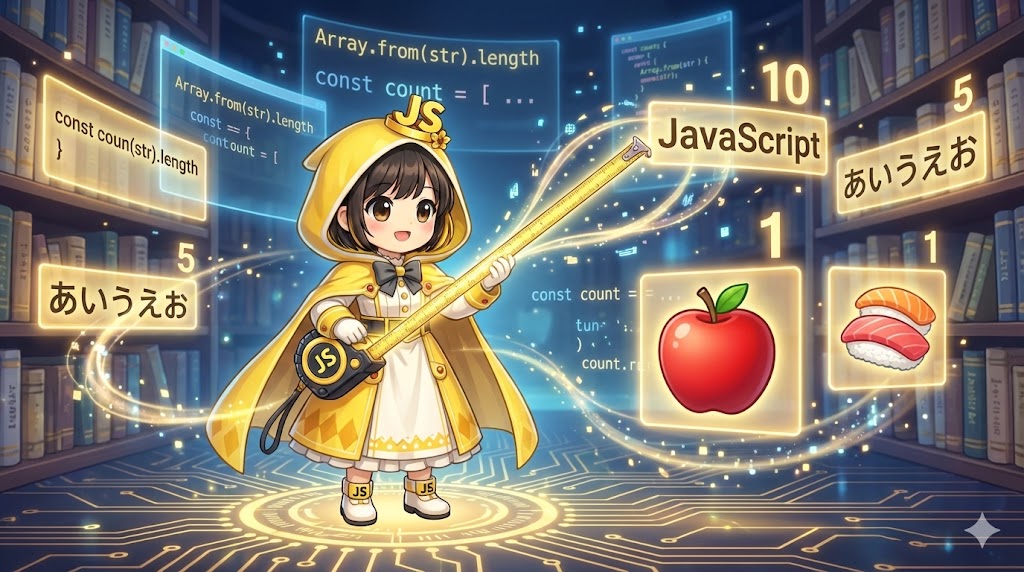
| Target String | Code | Result | Notes |
| “JavaScript” | "JavaScript".length | 10 | No issues with alphanumeric characters. |
| “ウェブ” | "ウェブ".length | 3 | No issues with standard Japanese characters. |
| “🍎” | "🍎".length | 2 | Counted as two due to internal representation. |
| “🍎” | Array.from("🍎").length | 1 | Correctly counted after array conversion. |
Full Code (HTML / JavaScript)
HTML (index.html)
The following code provides a text area and a span element to display the character count.
<!DOCTYPE html>
<html lang="en">
<head>
    <meta charset="UTF-8">
    <meta name="viewport" content="width=device-width, initial-scale=1.0">
    <title>Character Counter</title>
    <style>
        .container { font-family: sans-serif; padding: 20px; }
        .textarea {
            width: 100%;
            height: 100px;
            padding: 10px;
            font-size: 16px;
        }
        .counter { margin-top: 10px; font-weight: bold; }
    </style>
    <script src="char-count.js" defer></script>
</head>
<body>
    <div class="container">
        <h1>Character Counter</h1>
        <textarea class="textarea" placeholder="Enter text here"></textarea>
        <p class="counter">Current Count: <span class="string_num">0</span> characters</p>
    </div>
</body>
</html>
JavaScript (char-count.js)
The logic below handles surrogate pairs (emojis) correctly.
/**
 * Function to correctly get string length.
 * Counts emojis as one character.
 */
const getTrueLength = (str) => {
    // Convert the string into an array of characters and get the length.
    return Array.from(str).length;
};

// Get DOM elements
const textarea = document.querySelector(".textarea");
const stringNum = document.querySelector(".string_num");

/**
 * Keyup event handler
 */
function onKeyUp() {
    const inputText = textarea.value;

    // Standard count (emojis counted as 2)
    // stringNum.innerText = inputText.length;

    // Correct count for emojis (Recommended)
    stringNum.innerText = getTrueLength(inputText);

    console.log(`Standard length: ${inputText.length}`);
    console.log(`Array.from length: ${Array.from(inputText).length}`);
}

// Set up event listener
if (textarea) {
    textarea.addEventListener("keyup", onKeyUp);
}
Customization Tips
- Use the
inputEvent: It is recommended to use theinputevent instead ofkeyupin professional development. Theinputevent detects changes from mouse-click pasting or dragging and dropping text, whichkeyupmight miss. - Spread Syntax:
Array.from(str).lengthcan also be written as[...str].length. Both methods produce the same result.
Important Notes
- Surrogate Pairs: In the internal character encoding of JavaScript (UTF-16), many emojis and some kanji characters are represented using two codes called surrogate pairs. Since
.lengthcounts these as two, usingArray.from()is essential for accurate character limits, such as those found on social media platforms. - Combining Characters: In cases where a base character and a diacritical mark are combined,
Array.from()might still return a count of two. For strictly counting these as a single character, theIntl.SegmenterAPI is required.
Conclusion
For simple length checks, the .length property is sufficient. To count characters as they appear visually, especially when emojis are involved, Array.from(string).length should be used. Monitoring input forms is best achieved using the keyup or input events to ensure real-time accuracy for the end user.