Overview
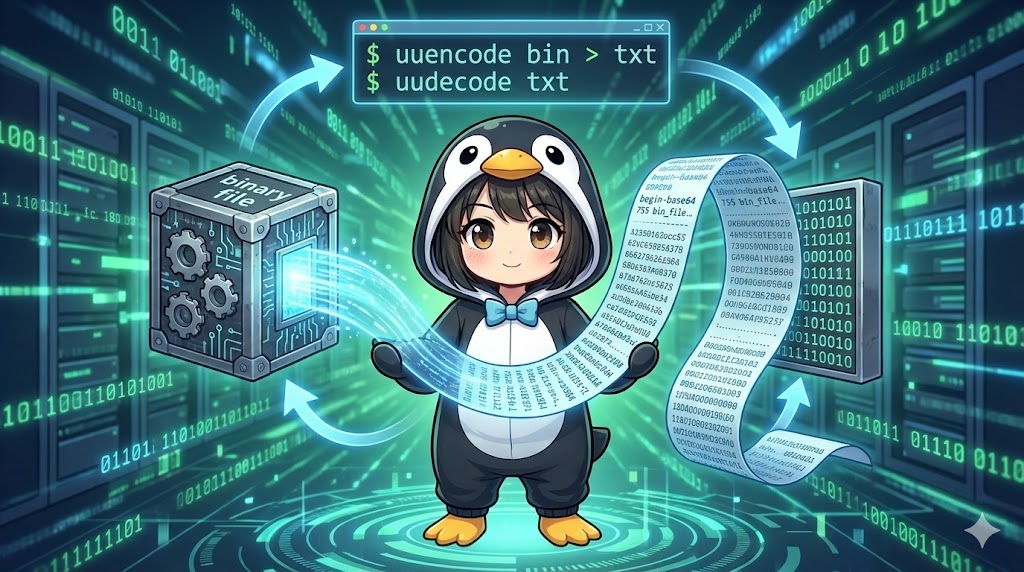
The base64 command is used to convert binary or text data into Base64 format—a string consisting of only 64 types of alphanumeric characters and symbols—and to decode that data back to its original form.
This command is the standard for safely transferring binary data as text between systems. Common use cases include attaching files to emails, sending data via Web APIs, generating credentials for Basic Authentication, and embedding images into HTML or CSS using the Data URI Scheme.
Specifications (Arguments and Options)
Syntax
base64 [options] [filename]
Main Arguments and Options
| Option | Description |
-d / --decode | Decodes (restores) the data to its original form. |
-i / --ignore-garbage | When decoding, ignores non-Base64 characters (such as newlines or spaces) and continues processing. |
-w <count> | Wraps encoded lines at a specific number of characters (default is 76). Setting this to 0 disables wrapping. |
Basic Usage
In this example, we convert a binary file (the /bin/ls command) into Base64 text and check the output.
Command
# Encode /bin/ls and save it to a file
base64 /bin/ls > ls_encoded.txt

# Check the first 4 lines of the encoded file
head -n 4 ls_encoded.txt
Execution Result
The binary is converted into a sequence of readable ASCII characters (A-Z, a-z, 0-9, +, /).
f0VMRgIBAQAAAAAAAAAAAAIAPgABAAAAwARAAAAAAABAAAAAAAAAAOgPAAAA
AAAAAEAAOAACAEAAAgABAAEAAAA4AAEAAAA4AAEAAAAAAAAAAIAAAAAAAAAA
AAAAgAAAAAAAwAAAAAAAALAAAAAAAAACwAAAAAAAAAAQAAAAAAAAAgAAAAAA
Practical Commands
Decode an Encoded File
This workflow restores text data to the original binary file and verifies its integrity using the -d option.
# Restore binary from the text file
base64 -d ls_encoded.txt > ls_restored

# Grant execution permission and test (Optional)
chmod +x ls_restored
./ls_restored --version

# Compare hash values to verify the files are identical
sha1sum /bin/ls ls_restored
Example Hash Output:
da39a3ee5e6b...  /bin/ls
da39a3ee5e6b...  ls_restored
Create a Basic Authentication Header
This is a frequent task in web development where a username and password are combined and encoded. Using echo -n to prevent a trailing newline is critical here.
# Encode "username:password" for an Authorization header
echo -n "admin:secret123" | base64
Output:
YWRtaW46c2VjcmV0MTIz
Forcefully Decode Corrupted Data
If unintended newlines or spaces have been introduced into the Base64 data (for example, during email forwarding), use the -i option to ignore them during decoding.
# Decode while ignoring non-Base64 "garbage" characters
base64 -d -i corrupted_data.txt > restored_file.bin
Customization Points
- Disabling Line Wraps (-w 0): By default, a newline is added every 76 characters. Use
-w 0when you need a single continuous string, such as for SSH public keys or API tokens.Bashbase64 -w 0 icon.png > image_base64.txt - Standard Input: If the filename is omitted, the command reads from standard input, making it ideal for use in pipelines.
Important Notes
- Increase in Data Size: Base64 encoding increases data size by approximately 33% (the output is roughly 1.33 times the original size). Keep this in mind when handling large files over networks.
- Not Encryption: Base64 is a conversion for readability, not a security measure. Anyone can decode it instantly with
base64 -d, so never use it to protect confidential information. - URL Safety: Standard Base64 uses
+and/, which may cause issues if used directly in URL parameters. A character replacement process is usually required for URL-safe Base64.
Advanced Application
Convert an Image to a Data URI for HTML Embedding
To reduce HTTP requests, small icon images can be embedded directly into HTML or CSS files using this format.
# Convert an image to a single Base64 string and add the Data URI prefix
echo "data:image/png;base64,$(base64 -w 0 icon.png)"
Output:
data:image/png;base64,iVBORw0KGgoAAAANSUhEUgAAAAEAAAABCAQAAAC1HAwCAAAAC0lEQVR42mNk+A8AAQUBAScY42YAAAAASUVORK5CYII=
Summary
The base64 command is the standard tool for handling binary data as text without corruption. While it serves a similar purpose to uuencode, it is much more compatible with modern web technologies like HTTP, HTML, and JSON. It is an essential command to master for creating authentication credentials and processing data within pipelines.