Overview
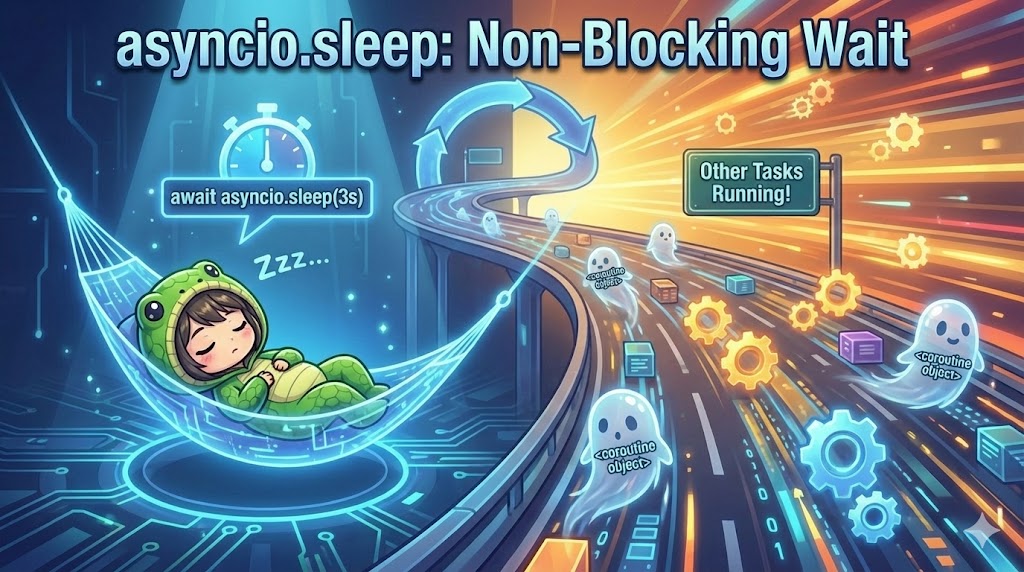
To pause a process for a specific time inside an asynchronous function (coroutine), use await asyncio.sleep(seconds). Unlike the standard time.sleep(), it returns control to the event loop while waiting. This allows other concurrent tasks to run, which is called “non-blocking.”
Specifications (Input/Output)
- Input: The number of seconds to wait (float or int).
- Output: Completion of the wait after the specified time.
- Function:
- Suspends the current task for a set time.
- Allows the event loop to run other tasks during the wait.
Syntax and Meaning
| Syntax | Argument Example | Description |
await asyncio.sleep(delay) | 1, 0.5 | Stops the process for the specified seconds. You must use await. |
time.sleep(delay) | 1 (Not recommended) | Stops the entire program (event loop). Using this in async code ruins concurrency. |
Basic Usage
This is basic code to wait for 1 second using asyncio.sleep.
import asyncio

async def main():
    print("Sleep starts")

    # Wait for 1 second (other tasks can run during this time)
    await asyncio.sleep(1)

    print("Sleep ends")
    return "result value"

if __name__ == "__main__":
    coroutine_obj = main()
    result = asyncio.run(coroutine_obj)
    print(result)
Full Code
This is a demo showing two tasks running at the same time. You can see that while one task is sleeping, the other continues to run.
import asyncio
import time

async def task_a():
    print("[Task A] Start: Waiting for 2 seconds...")
    # Wait for 2 seconds here, but Task B can move during this time
    await asyncio.sleep(2)
    print("[Task A] Done")
    return "A"

async def task_b():
    print("  [Task B] Start: Processing...")
    # Repeat short waits
    for i in range(3):
        print(f"  [Task B] Step {i+1}/3")
        await asyncio.sleep(0.5)
    print("  [Task B] Done")
    return "B"

async def main():
    print("--- Starting Concurrent Execution ---")
    start = time.time()

    # Run two tasks at the same time using gather
    await asyncio.gather(task_a(), task_b())

    elapsed = time.time() - start
    print(f"--- All processes finished: {elapsed:.2f} seconds ---")
    # Task A (2s) and Task B (1.5s) run at the same time.
    # Total time is about 2 seconds (the longer one), not 3.5 seconds.

if __name__ == "__main__":
    asyncio.run(main())
Important Notes
Forgetting await
If you write asyncio.sleep(1) without await, the sleep will not happen. The code will move to the next line immediately because it only creates a coroutine object and discards it. Always write await asyncio.sleep(1).
Using time.sleep
If you use time.sleep(1) inside an async def function, the entire event loop stops for that 1 second. This means all asynchronous tasks stop, which defeats the purpose of using async code. Always use await asyncio.sleep() instead.