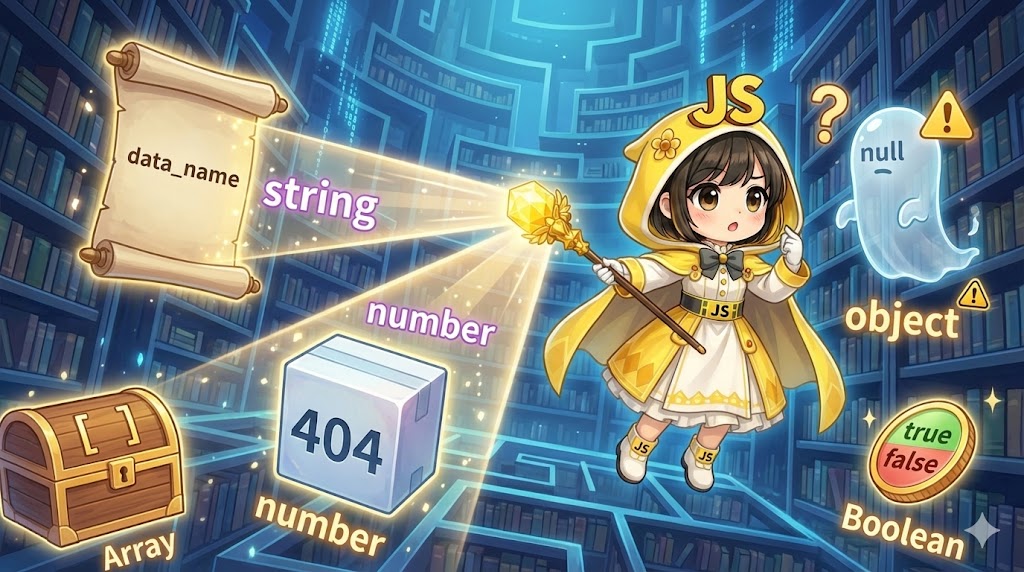
Overview
JavaScript is a dynamically typed language, meaning the data type assigned to a variable can change during execution. To prevent errors caused by unexpected types, it is essential to correctly identify which data type a current value belongs to. This article explains the basic usage of the typeof operator, as well as practical type-checking methods that account for its unique behaviors.
Specifications (Input/Output)
Basic Syntax
| Syntax | Meaning |
| typeof operand | Evaluates the data type of the operand (value or variable) and returns the result as a lowercase string. |
Data Type and Evaluation Results
| Data Type | typeof Result | Example Data |
| Undefined | “undefined” | undefined |
| Null | “object” | null (legacy behavior) |
| Boolean | “boolean” | true, false |
| String | “string” | "system_log", 'error' |
| Symbol | “symbol” | Symbol('id') |
| Number | “number” | 1024, NaN |
| Object | “object” | { level: 1 }, [10, 20] |
| Function | “function” | function(){}, class {} |
Basic Usage
The value or variable to be evaluated is placed immediately after the typeof operator. While it is possible to use parentheses like typeof(value), it is more common to write it without them since it is an operator. Because the return value is always a string, it is used in conditional statements (such as if blocks) to compare types.
Full Code Implementation (HTML / JAVASCRIPT)
HTML
<!DOCTYPE html>
<html lang="en">
<head>
    <meta charset="UTF-8">
    <title>System Log Inspector</title>
</head>
<body>
    <div id="inspector-app">
        <h2>System Log Analyzer</h2>
        <div id="result-display">
            <p>Waiting for analysis...</p>
        </div>
        <hr>
        <button id="btn-analyze">Analyze Sample Data</button>
    </div>
    <script type="module" src="main.js"></script>
</body>
</html>
JavaScript
/**
 * Type Identification Module for Log Auditing System
 * Responsible: mori
 */

/**
 * Analyzes and displays the data type of the received data in detail
 * @param {any} target - The data to be evaluated
 */
const inspectDataType = (target) => {
  const typeResult = typeof target;

  // Basic type information retrieval
  console.log(`Value: ${target} | Type: ${typeResult}`);

  return typeResult;
};

const display = document.getElementById('result-display');
const analyzeBtn = document.getElementById('btn-analyze');

/** Reflects analysis results in the UI */
const runAudit = () => {
  // Sample set containing various data types
  const samplePayloads = [
    true,                   // boolean
    404,                    // number
    "access_denied",        // string
    null,                   // object (caution)
    undefined,              // undefined
    Symbol('unique_key'),   // symbol
    [100, 200, 300],        // object (array)
    { code: "A1", msg: "OK" }, // object
    () => "action",         // function
    class Logger {}         // function
  ];

  display.innerHTML = "";

  samplePayloads.forEach(data => {
    const type = inspectDataType(data);
    const p = document.createElement('p');

    // Formatting for display
    let displayValue = String(data);
    if (type === 'symbol') displayValue = "Symbol(...)";
    if (type === 'object' && data !== null) displayValue = JSON.stringify(data);

    p.textContent = `Analysis Result: [${displayValue}] is type ${type}`;
    display.appendChild(p);
  });
};

analyzeBtn.addEventListener('click', runAudit);
Customization Points
If you need to distinguish between an array and a plain object, change the logic to combine typeof with Array.isArray(target). In numeric evaluations, note that NaN (Not a Number) is also evaluated as "number". Therefore, if strict numeric checking is required, I suggest using Number.isFinite() in conjunction.
Important Considerations
The fact that null evaluates to "object" is a well-known specification (behavior close to a bug) in JavaScript. When checking if a value is null, do not use typeof; instead, compare it directly using target === null. Arrays are also returned as "object", so you should avoid using typeof for the purpose of identifying list structures. Since class definitions are treated internally as functions, the result will be "function".
Advanced Applications
The following example uses typeof to mimic function overloading based on the type of the argument.
/**
 * Formats log messages
 * @param {string|number|Object} input
 */
const formatLog = (input) => {
  const inputType = typeof input;

  if (inputType === "string") {
    return `[TEXT] ${input}`;
  }

  if (inputType === "number") {
    return `[CODE] #${input.toString().padStart(4, '0')}`;
  }

  if (inputType === "object" && input !== null) {
    return `[DATA] ${JSON.stringify(input)}`;
  }

  return "[UNKNOWN] Invalid input";
};

console.log(formatLog("System start"));
console.log(formatLog(404));
console.log(formatLog({ event: "login" }));
Summary
The typeof operator is the most fundamental means of quickly identifying primitive data types in JavaScript. While it is highly effective for distinguishing types such as strings, numbers, and booleans, extreme caution is required for exceptional behaviors where null or Array are returned as "object". By correctly understanding these characteristics and combining them with more detailed identification methods as needed, it becomes possible to prevent crashes due to runtime type mismatches and maintain a robust application structure.