Overview
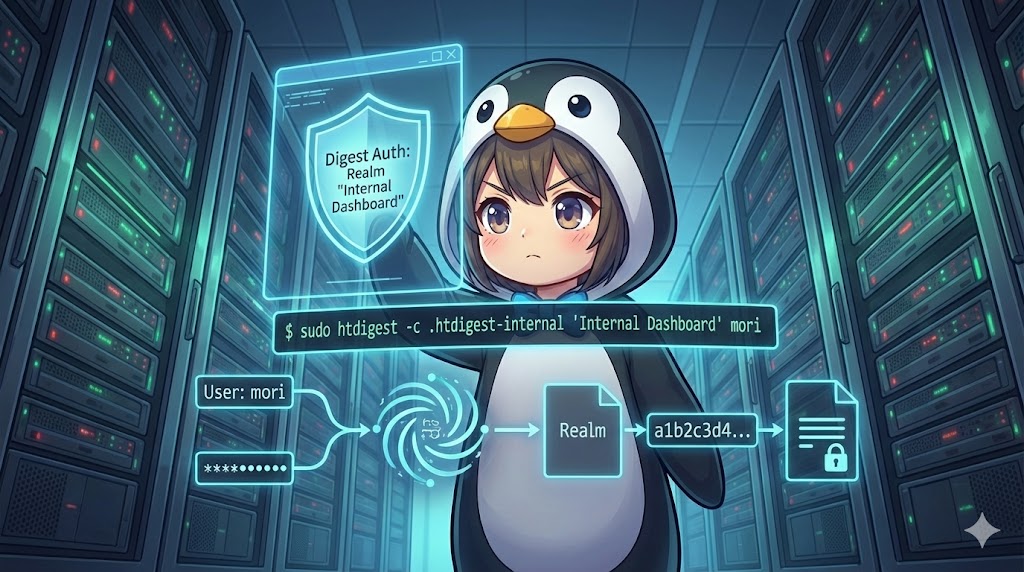
When implementing Basic Authentication on web servers like Apache or Nginx, htpasswd is the primary tool used to generate and manage credential files. This utility stores pairs of usernames and encrypted passwords in a dedicated file, which is then used to restrict access to specific directories or web resources. It is widely available across major Linux distributions, including Debian-based and RHEL-based systems.
Specifications (Arguments and Options)
Syntax
BASH
htpasswd [options] password_file username
Primary Switches
| Switch | Description |
| -c | Creates a new password file. If the file already exists, it is overwritten. |
| -b | Batch mode. Allows you to enter the password directly as a command argument. |
| -n | Does not update the file; instead, it displays the result to the standard output. |
| -nb | Batch mode for standard output. Displays the username and password pair without saving. |
Main Options
| Option | Description |
| -m | Uses the MD5 algorithm for encryption (often the default). |
| -d | Uses the crypt algorithm (not supported on Windows or Netware). |
| -s | Uses the SHA algorithm for encryption. |
| -p | Stores passwords in plain text without encryption (Highly discouraged). |
| -D | Deletes the specified user from the password file. |
| -i | Reads the password from standard input. |
| -B | Uses the bcrypt algorithm for high-security encryption. |
| -C | Specifies the calculation cost for bcrypt (Default is 5). |
| -v | Verifies if the provided username and password match the stored record. |
Basic Usage
In this scenario, we create a new authentication file for a Secure Warehouse Inventory Portal and add an administrator account for mori.
BASH
# Install required tools (Ubuntu/Debian)
sudo apt update && sudo apt install -y apache2-utils

# Create a new file at /etc/apache2/.htpasswd-inventory and add user mori
sudo htpasswd -c /etc/apache2/.htpasswd-inventory mori
Result
New password:
Re-type new password:
Adding password for user mori
Practical Command Scenarios
When managing a Supply Chain Dashboard, you might need to add users automatically via scripts without an interactive password prompt.
BASH
# Use batch mode to set a password for mori directly
# This appends the user to the existing /etc/apache2/.htpasswd-inventory file
sudo htpasswd -b /etc/apache2/.htpasswd-inventory mori StrongPassword2026

# Verify the entry (viewing the hashed password)
grep mori /etc/apache2/.htpasswd-inventory
Result
mori:$apr1$uD6X8V/S$vG7I3hK9lJpRmE2fNq1A0/
Customization Tips
The file path /etc/apache2/.htpasswd-inventory should match the path defined in your Apache configuration under the AuthUserFile directive. For professional user management, replace mori with the specific IDs of the personnel accessing the system. Depending on your security requirements, consider using the -B option to select the more robust bcrypt format to protect credentials against modern brute-force attacks.
Important Considerations
Using the -b option exposes passwords in your shell history, so be cautious on shared servers. Remember that the -c option always initializes a new file; if you are adding a second or third user, you must omit this flag to avoid deleting existing accounts. Additionally, the password file must be readable by the web server user (such as www-data), but it should always be placed outside the document root to prevent external users from downloading it directly via a URL. Finally, avoid the -p option (plain text) at all costs, as it renders your authentication system vulnerable to simple data leaks.
Advanced Applications
These examples show how to verify a password without modifying the file and how to remove a user when they leave a specific project.
BASH
# Verify the integrity of a password (returns success or an error message)
htpasswd -v /etc/apache2/.htpasswd-inventory mori

# Remove the user mori from the inventory portal access list
sudo htpasswd -D /etc/apache2/.htpasswd-inventory mori
Result
# On successful verification
Password for user mori correct.

# On successful deletion
Deleting password for user mori
Summary
The htpasswd command is an essential tool for managing Basic Authentication files that serve as the foundation of access control for web servers. By correctly using options for initial creation, ongoing member management, and credential verification, administrators can maintain a secure environment for protected directories. Adhering to operational best practices—such as choosing strong hashing algorithms like bcrypt and protecting command history—ensures that information leakage risks are minimized while providing reliable protection for sensitive web resources.