Overview
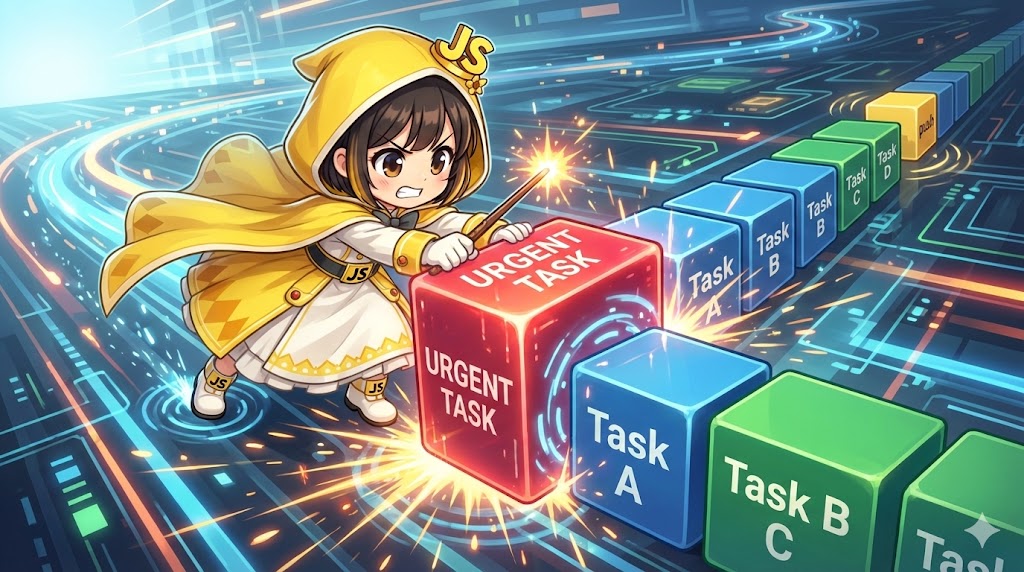
When managing data lists in an array, it is very common to add new data to the end of the list or insert high-priority data at the very beginning. JavaScript provides the push method for adding to the end and the unshift method for adding to the start. This article explains how to use these methods through a scenario of managing service requests where “standard requests” and “emergency requests” must be handled differently.
Specifications
| Method | Operation | Position | Return Value | Complexity |
| push(item, …) | Adds elements to the end | Back | New array length | $O(1)$ |
| unshift(item, …) | Adds elements to the start | Front | New array length | $O(n)$ |
- Input: The elements you want to add (supports multiple values of any type).
- Output: The updated length of the array.
- Side Effect: These are mutative (destructive) methods, meaning the original array is modified directly.
Basic Usage
Adding to the End (push)
This is used for standard list creation or when collecting logs in chronological order.
const requestStack = ['Initial Boot', 'Service Start'];

// Add to the end
const updatedLength = requestStack.push('User Login');

console.log(requestStack);   // ["Initial Boot", "Service Start", "User Login"]
console.log(updatedLength);  // 3
Adding to the Beginning (unshift)
This is used when you need to display new items at the top of a list or prioritize an action.
const processQueue = ['Standard Task 1', 'Standard Task 2'];

// Insert at the beginning
processQueue.unshift('Emergency Patch');

console.log(processQueue); // ["Emergency Patch", "Standard Task 1", "Standard Task 2"]
Full Code (Service Priority Management)
HTML
<!DOCTYPE html>
<html lang="en">
<head>
    <meta charset="UTF-8">
    <meta name="viewport" content="width=device-width, initial-scale=1.0">
    <title>Priority Service Management</title>
    <style>
        body { font-family: 'Segoe UI', sans-serif; padding: 20px; background-color: #f0f2f5; }
        .dashboard {
            max-width: 500px;
            margin: auto;
            padding: 20px;
            background: white;
            border-radius: 12px;
            box-shadow: 0 4px 10px rgba(0,0,0,0.1);
        }
        .input-group { margin-bottom: 20px; display: flex; gap: 10px; flex-wrap: wrap; }
        input[type="text"] { flex: 1; padding: 10px; border: 1px solid #ccc; border-radius: 6px; }
        button { padding: 10px 15px; border: none; border-radius: 6px; cursor: pointer; color: white; font-weight: bold; }
        .btn-push { background-color: #28a745; }
        .btn-unshift { background-color: #dc3545; }
        #request-log { list-style: none; padding: 0; }
        .log-item { padding: 12px; border-bottom: 1px solid #eee; display: flex; align-items: center; }
        .priority-tag { background: #ffd7d7; color: #d63031; font-size: 0.75rem; padding: 2px 6px; border-radius: 4px; margin-left: auto; }
    </style>
</head>
<body>

<div class="dashboard">
    <h3>Service Request System</h3>
    <div class="input-group">
        <input type="text" id="request-desc" placeholder="Enter request detail...">
        <button id="queue-standard" class="btn-push">Queue Standard</button>
        <button id="queue-priority" class="btn-unshift">Insert Priority</button>
    </div>

    <h4>Processing Queue:</h4>
    <ul id="request-log"></ul>
</div>

<script src="service_manager.js"></script>
</body>
</html>
JavaScript
/**
 * System for managing service request prioritization
 */
class ServiceQueue {
    constructor() {
        // Initial service state
        this.queue = ['Database Sync', 'Cache Refresh'];
        this.display = document.getElementById('request-log');
        this.input = document.getElementById('request-desc');
        this.refresh();
    }

    /**
     * Adds a standard request to the end of the queue
     */
    addStandard() {
        const val = this.input.value.trim();
        if (!val) return;

        // Use push to append to the end
        this.queue.push(val);
        this.reset();
    }

    /**
     * Inserts a priority request at the beginning of the queue
     */
    addPriority() {
        const val = this.input.value.trim();
        if (!val) return;

        // Use unshift to prepended to the start
        this.queue.unshift(`[PRIORITY] ${val}`);
        this.reset();
    }

    reset() {
        this.input.value = '';
        this.input.focus();
        this.refresh();
    }

    /**
     * Renders the current queue to the UI
     */
    refresh() {
        this.display.innerHTML = '';

        this.queue.forEach(data => {
            const item = document.createElement('li');
            item.className = 'log-item';
            item.textContent = data;

            if (data.startsWith('[PRIORITY]')) {
                const tag = document.createElement('span');
                tag.className = 'priority-tag';
                tag.textContent = 'HIGH';
                item.appendChild(tag);
                item.style.borderLeft = '4px solid #dc3545';
            }

            this.display.appendChild(item);
        });
    }
}

const manager = new ServiceQueue();

document.getElementById('queue-standard').addEventListener('click', () => {
    manager.addStandard();
});

document.getElementById('queue-priority').addEventListener('click', () => {
    manager.addPriority();
});
Customization Points
Both push and unshift can accept multiple arguments separated by commas. For example, array.push('A', 'B') adds both elements at once. If you need to combine another array into your current one, the spread operator ... is highly effective. Using array.push(...backupArray) allows you to expand the elements of the second array and add them as individual items to the end of the target array.
Important Notes
The performance of unshift is lower than that of push. While push simply appends an item to the end, unshift must shift the index of every existing element in the array one position to the right to make room at the start. For arrays with tens of thousands of elements, this operation becomes significantly slower, categorized as $O(n)$ complexity. Additionally, remember that the return value of these methods is the new length of the array, not the modified array itself, so you cannot chain them like arr.push(1).push(2).
Advanced Application
By combining push with the shift method (which removes the first element), you can implement a First-In-First-Out (FIFO) buffer that limits the number of stored logs. This ensures that the list only maintains the most recent $n$ entries. When the array length exceeds your specified maximum, calling shift removes the oldest entry at the beginning, keeping the data set size consistent and relevant.
Summary
Controlling the position of data addition is a critical skill for building applications where the order of information matters. You should use push when you want to add items normally to the bottom of a list and unshift when you need to handle high-priority interruptions that belong at the top. By understanding the performance implications and mutative nature of these methods, you can create more intuitive and responsive data displays for your users.