Overview
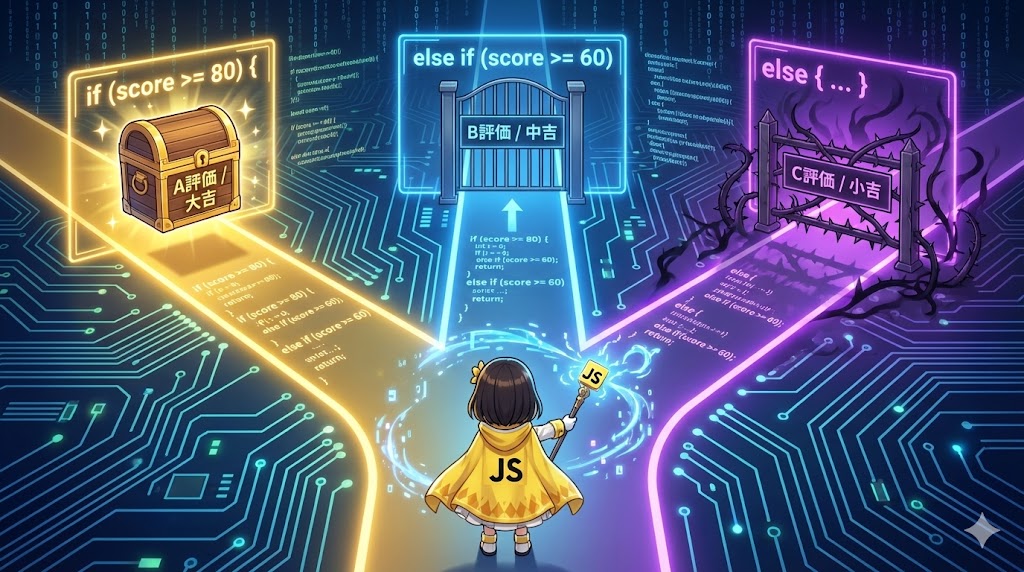
The decision logic “If X, then A; otherwise B” is the most basic and important control structure in programming. By using the if statement in JavaScript, processes can be divided based on variable values or user actions. This article explains the basic if...else syntax, the else if syntax for handling multiple conditions, and dynamic logic using random numbers.
Specifications (Input/Output)
- Input:
- Numerical values to be judged (e.g., test scores).
- Random numbers generated by the system.
- Output: Result messages based on the condition results (Console logs).
Basic Usage
The simplest structure is if (condition) { process for true }. To add a process for when the condition is not met, use else { ... }. To add even more specific conditions, connect them with else if (condition) { ... }.
Full Code (HTML / JavaScript)
HTML (index.html)
<!DOCTYPE html>
<html lang="en">
<head>
    <meta charset="UTF-8">
    <meta name="viewport" content="width=device-width, initial-scale=1.0">
    <title>Conditional Logic Demo</title>
    <script src="conditional-logic.js" defer></script>
</head>
<body>
    <div class="container">
        <h1>Please check the Console</h1>
        <p>The results of the conditional logic are displayed in the console.</p>
    </div>
</body>
</html>
JavaScript (conditional-logic.js)
This code includes test score judgment logic and simple fortune-telling logic using random numbers.
/**
 * 1. Basic multi-stage branching (if - else if - else)
 * Outputs an evaluation based on the test score.
 */
const checkScore = () => {
    // Score to judge (this value can be changed for testing)
    const score = 75;

    console.log(`Current score: ${score}`);

    if (score >= 80) {
        // Condition 1: 80 points or more
        console.log("Evaluation: A (Excellent!)");

    } else if (score >= 60) {
        // Condition 2: Less than 80 but 60 or more
        console.log("Evaluation: B (Pass)");

    } else {
        // Condition 3: None of the above (Less than 60)
        console.log("Evaluation: C (Retake required)");
    }
};

checkScore();


/**
 * 2. Dynamic branching using random numbers
 * A fortune program where the result changes every time it is run.
 */
const drawOmikuji = () => {
    // Generate a random decimal between 0 and 10
    const randomNum = Math.random() * 10;

    console.log(`--- Fortune Result (Value: ${randomNum.toFixed(2)}) ---`);

    if (randomNum >= 8) {
        console.log("Great Blessing! Good things will happen today.");
    } else if (randomNum >= 4) {
        console.log("Middle Blessing. It will be a peaceful day.");
    } else {
        console.log("Small Blessing. Watch where you walk.");
    }
};

drawOmikuji();


/**
 * 3. Shorthand (Without braces)
 * Braces {} can be omitted for single-line processes, but use caution for readability.
 */
const isSystemActive = true;

// Single-line style
if (isSystemActive) console.log("System is operating normally (Shorthand)");
Customization Points
- Importance of Evaluation Order:
ifstatements are evaluated from top to bottom. Once a condition is met, subsequentelse ifblocks are ignored. Therefore, the rule is to write specific or strict conditions (likescore >= 80) before broader conditions (likescore >= 60). - Using Logical Operators: Multiple conditions can be checked at once using
&&(AND) or||(OR), such asif (age >= 18 && hasTicket).
Important Points
- Confusion with Assignment Operators: Writing
if (x = 10)inside the condition performs an “assignment” instead of a comparison, often evaluating astrue. Always use three equals symbols (===) for strict equality. - Omitting Braces {}: While braces can be omitted for single lines, doing so can lead to bugs when adding more processes later. Always writing
{}is the recommended practice. - Variable Scope: Variables declared with
constorletinside anifblock cannot be used outside that block.
Advanced Usage
Ternary Operator for Shorthand
Simple if...else assignments can be written in a single line using the ternary operator.
const age = 20;
// condition ? value_if_true : value_if_false
const message = age >= 20 ? "Can drink alcohol" : "Must be 20 to drink alcohol";

console.log(message);
Summary
The if statement represents the core logic of programming. Organizing which processes should run under specific conditions and creating thorough branches is the first step toward bug-free application development. Start by mastering the basic if - else if - else structure.