Overview
asyncio.Queue is a FIFO (First-In, First-Out) queue designed for exchanging data between asynchronous tasks (coroutines).
Unlike standard data structures like lists, it is coroutine-safe. This means you can add or remove data from multiple tasks simultaneously without using explicit locks. The queue maintains data integrity automatically.
This article explains basic methods and shows how to use a queue to prevent race conditions.
Specifications (Input/Output)
Input:
- Maximum queue size (
maxsize). If set to 0 or less, the size is infinite. - Any Python object to put into the queue.
Output:
- Objects retrieved from the queue.
- Status information, such as the current number of items in the queue.
Main Methods
| Method Syntax | Description | Blocking (Wait) |
await queue.put(item) | Adds an item to the end of the queue. If the queue is full, it waits for space. | Yes |
await queue.get() | Gets and removes an item from the front of the queue. If the queue is empty, it waits for an item. | Yes |
queue.qsize() | Returns the number of items currently in the queue. | No |
queue.empty() | Returns True if the queue is empty. | No |
queue.full() | Returns True if the queue is full. | No |
Basic Usage
This example shows how to add data and retrieve it in order. Since put and get are asynchronous methods, you must use await.
import asyncio

async def main():
    # Create a queue
    q = asyncio.Queue()

    print("--- Adding Data ---")
    await q.put("Data A")
    await q.put("Data B")

    print(f"Current size: {q.qsize()}")

    print("--- Getting Data ---")
    # Items are retrieved in FIFO order
    item1 = await q.get()
    print(f"Got: {item1}")

    item2 = await q.get()
    print(f"Got: {item2}")

    # Check if empty
    if q.empty():
        print("The queue is empty")

if __name__ == "__main__":
    asyncio.run(main())
Full Code Example
The following code prevents race conditions by using the queue as the storage for the state. Instead of using asyncio.Lock, only the task that retrieves the value from the queue has the right to update it.
import asyncio

async def increment_worker(queue: asyncio.Queue, worker_name: str, count: int):
    """
    Worker that gets the current value from the queue, increments it, and puts it back.

    Args:
        queue (asyncio.Queue): Shared queue
        worker_name (str): Identifier for logs
        count (int): Number of loops
    """
    for _ in range(count):
        # 1. Get value from queue (waits if empty)
        # The task that gets the value effectively gains the "processing right"
        value = await queue.get()

        # 2. Simulate some work (allows context switching)
        await asyncio.sleep(0.01)

        # 3. Put the new value back into the queue
        new_value = value + 1
        await queue.put(new_value)

async def main():
    # Create shared queue
    queue = asyncio.Queue()

    # Put initial value 0
    await queue.put(0)

    print("--- Starting Increment Race ---")

    # Two tasks perform 100 increments total (50 + 50)
    # Access is serialized by queue.get() without explicit locks
    await asyncio.gather(
        increment_worker(queue, "Worker-A", 50),
        increment_worker(queue, "Worker-B", 50)
    )

    # Get final result
    final_result = await queue.get()

    print("--- Processing Finished ---")
    print(f"Final counter value: {final_result} (Expected: 100)")

if __name__ == "__main__":
    asyncio.run(main())
Example Output
--- Starting Increment Race ---
--- Processing Finished ---
Final counter value: 100 (Expected: 100)
Customization Points
Setting maxsize
Using q = asyncio.Queue(maxsize=10) limits the number of items. This prevents high memory usage and manages “backpressure” by slowing down producers if consumers are too slow.
Task Management (task_done)
In consumer patterns, call queue.task_done() after finishing a job. You can then use await queue.join() to wait until every item added to the queue has been fully processed.
Timeout for Getting Data
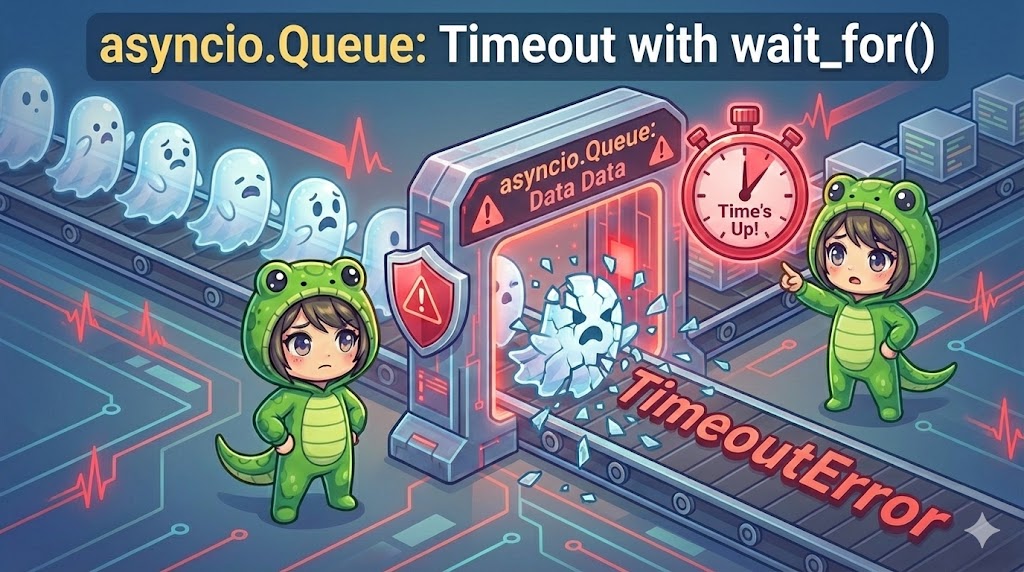
You can use await asyncio.wait_for(q.get(), timeout=1.0) to stop waiting if no data is available within a specific timeframe.
Important Notes
Not Thread-Safe
asyncio.Queue is only safe within the asyncio event loop. If you need to communicate with a separate thread from the threading module, use the janus library or loop.call_soon_threadsafe.
Deadlocks
If you set a maxsize and the queue becomes full, put will block. If no other task is running to remove items, the program will hang forever.
get_nowait / put_nowait
q.get_nowait() and q.put_nowait() do not wait. They raise asyncio.QueueEmpty or asyncio.QueueFull exceptions if the operation cannot be completed immediately.
Advanced Application
This example implements the “Producer-Consumer” pattern. The producer creates jobs, and multiple consumers process them in parallel using task_done and join.
import asyncio
import random

async def producer(queue: asyncio.Queue, n: int):
    """Generates jobs and puts them in the queue"""
    for i in range(n):
        item = f"Job-{i}"
        await queue.put(item)
        print(f"[Producer] Added {item}")
        await asyncio.sleep(random.uniform(0.1, 0.3))

async def consumer(queue: asyncio.Queue, worker_id: int):
    """Gets jobs from the queue and processes them"""
    while True:
        # Get item from queue
        item = await queue.get()

        # Execute processing
        print(f"  [Worker-{worker_id}] Processing {item}...")
        await asyncio.sleep(random.uniform(0.2, 0.5))
        print(f"  [Worker-{worker_id}] Finished {item}")

        # Notify that the item processing is complete
        queue.task_done()

async def main_worker_pattern():
    queue = asyncio.Queue()

    # Start 3 background consumer tasks
    workers = [asyncio.create_task(consumer(queue, i)) for i in range(3)]

    # Producer adds 10 jobs
    await producer(queue, 10)

    print("--- All jobs added, waiting for workers ---")

    # Wait until all items are processed (task_done called for each)
    await queue.join()

    print("--- All jobs finished ---")

    # Cancel worker tasks
    for w in workers:
        w.cancel()

if __name__ == "__main__":
    asyncio.run(main_worker_pattern())
Conclusion
asyncio.Queue is a vital tool for data pipelines in asynchronous Python programs.
- Use Cases: Buffering between tasks, data synchronization without locks, and simple message passing.
- Key Point: Adjust
maxsizeto control data flow effectively. - Reminder: Do not use this for communication between different threads; use it only within the same event loop.
By designing your code around queues, you can create clean and reliable asynchronous applications without complex lock logic.