Overview
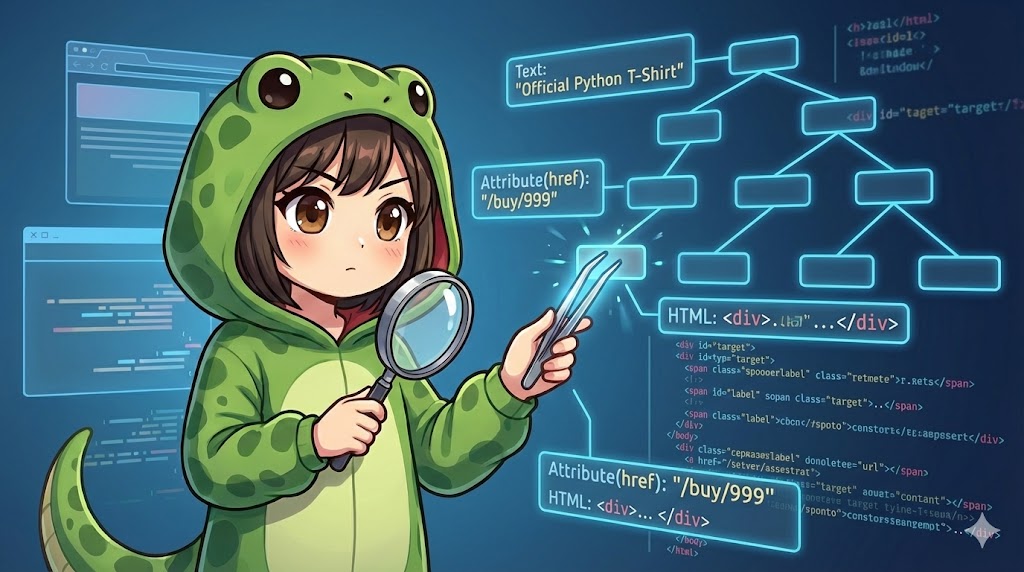
This article explains how to extract information from HTML elements (WebElements) identified with Selenium. This includes the “text” displayed on the browser, “attribute values” (such as href, src, id) defined within HTML tags, and the “HTML source” of the element. This is the most important step in web scraping for retrieving actual data.
Specifications (Input/Output)
- Input: A
WebElementobject already obtained using methods likefind_element. - Output: Extracted strings (text, URLs, HTML code, etc.).
- Requirement: Selenium WebDriver must be working correctly.
Basic Usage
This is the basic pattern to get an element’s text and its link URL (href attribute).
# element = driver.find_element(...)

# 1. Get visible text
# Gets the text enclosed by the tags
print(f"Text: {element.text}")

# 2. Get attribute value
# Gets the "https://..." part of <a href="https://...">
link_url = element.get_attribute("href")
print(f"Link URL: {link_url}")
Full Code
This practical demo code shows how to get HTML data attributes (such as data-price) and the internal HTML source (innerHTML). To make it easy to test, it uses the data: scheme to generate and load a simple HTML page on the fly.
from selenium import webdriver
from selenium.webdriver.common.by import By
import time

def extract_element_info():
    """
    Demo function to extract text, attributes, and HTML source from elements.
    """
    driver = webdriver.Chrome()

    # Dummy HTML content (mimicking a product card structure)
    # <div id="product-card" class="item" data-id="999" data-price="1500">
    #     <h2 class="title">Official Python T-Shirt</h2>
    #     <a href="/buy/999">Buy Now</a>
    # </div>
    html_content = """
    data:text/html;charset=utf-8,
    <div id='product-card' class='item' data-id='999' data-price='1500'>
        <h2 class='title'>Official Python T-Shirt</h2>
        <a href='/buy/999'>Buy Now</a>
        <span style='display:none'>Hidden Info</span>
    </div>
    """

    try:
        # 1. Open the page
        driver.get(html_content)

        # 2. Locate the target element (Parent: product-card)
        card_element = driver.find_element(By.ID, "product-card")

        print("--- Basic Information ---")
        # .text property
        # Text from child elements is included, but hidden elements (display:none) are excluded.
        print(f"[text] Visible Text:\n{card_element.text}")

        print("\n--- Getting Attributes ---")
        # .get_attribute(attribute_name)
        product_id = card_element.get_attribute("data-id")
        price = card_element.get_attribute("data-price")
        class_name = card_element.get_attribute("class")

        print(f"[data-id]    : {product_id}")
        print(f"[data-price] : {price}")
        print(f"[class]      : {class_name}")

        print("\n--- Getting HTML Source ---")
        # innerHTML: Gets the content inside the element (including tags)
        inner = card_element.get_attribute("innerHTML")
        print(f"[innerHTML]: {inner.strip()}")

        # outerHTML: Gets the full HTML including the element itself
        outer = card_element.get_attribute("outerHTML")
        print(f"[outerHTML]: {outer.strip()}")

    finally:
        driver.quit()

if __name__ == "__main__":
    extract_element_info()
Customization Points
Mapping Table for Properties and Methods
These are the main properties and methods of a Selenium WebElement object.
| Syntax | Type | Content Retrieved | Example |
| element.text | Property | Visible text inside the element | Top Page |
| element.get_attribute(“href”) | Method | Target URL of a link | https://example.com |
| element.get_attribute(“src”) | Method | Source URL of images or scripts | img/logo.png |
| element.get_attribute(“value”) | Method | Value entered in a form | MyPassword123 |
| element.get_attribute(“innerHTML”) | Method | HTML between the start and end tags | <span>Text</span> |
| element.get_attribute(“outerHTML”) | Method | Complete HTML including the element itself | <div><span>Text</span></div> |
Important Notes
The Trap of the text Property (Hidden Elements)
element.text only returns text that is visible to the user in the browser. Text from elements where display: none; or visibility: hidden; is applied via CSS will return an empty string. If you want to get hidden text, use element.get_attribute("textContent").
If an Attribute Does Not Exist
If the specified attribute is not written in the HTML tag, get_attribute() returns None. While this does not cause an immediate error, be careful not to trigger errors in later processing (such as string operations).
URL Completion
When getting href or src attributes, Selenium may automatically convert relative paths (/page/1) into absolute URLs (http://site.com/page/1) depending on the browser’s behavior.
Advanced Usage
This example shows how to retrieve table data in a list format.
from selenium import webdriver
from selenium.webdriver.common.by import By

def scrape_table_data():
    driver = webdriver.Chrome()
    # Sample table
    driver.get("data:text/html;charset=utf-8,<table><tr><td>Apple</td><td>100</td></tr><tr><td>Orange</td><td>50</td></tr></table>")

    try:
        # Get all tr tags (rows)
        rows = driver.find_elements(By.TAG_NAME, "tr")

        data_list = []
        for row in rows:
            # Get td tags (cells) inside each row
            cells = row.find_elements(By.TAG_NAME, "td")

            # Extract text and convert to a list
            # Format: [Apple, 100], [Orange, 50]
            row_data = [cell.text for cell in cells]
            data_list.append(row_data)

        print(f"Extracted Data: {data_list}")

    finally:
        driver.quit()

if __name__ == "__main__":
    scrape_table_data()
Summary
- Use
element.textif you want the visible characters. - Use
element.get_attribute("attribute_name")if you want background values (URLs, IDs, form inputs). - Use
element.get_attribute("outerHTML")if you want the HTML structure itself.
By choosing between these three, you can bring any information from a web page into Python.