Overview
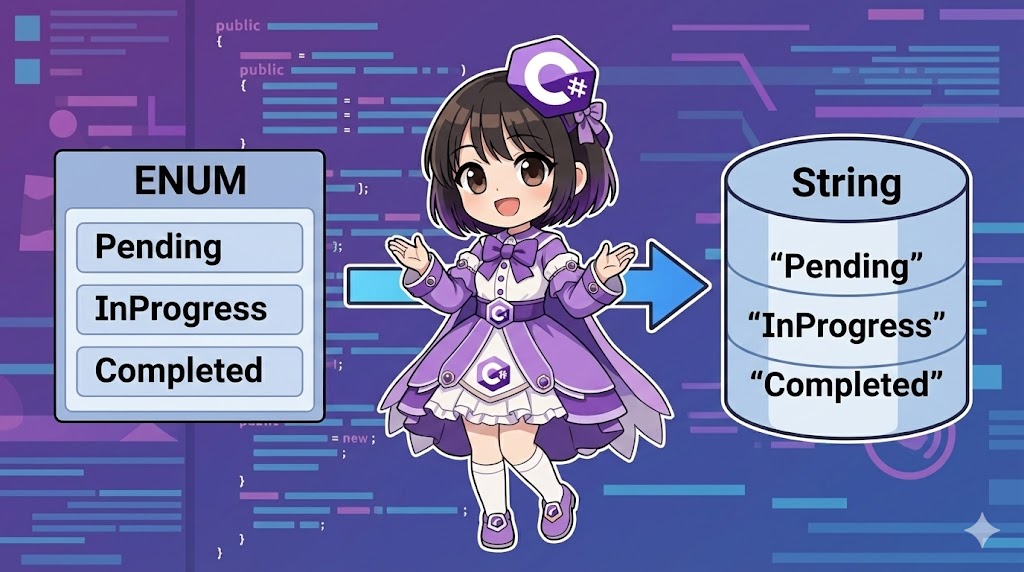
In Entity Framework Core (EF Core), Enum properties are saved as integers (int) by default. However, you may want to save them as their “name (string)” to improve database readability or to integrate with existing databases that use string columns. This article explains how to map Enums to strings using the HasConversion method in the Fluent API.
Specifications
- Input: An entity with Enum properties.
- Process: Apply
HasConversion<string>()to define value conversion rules. - Output: The database column type becomes a text type (TEXT, VARCHAR, etc.), and the Enum member names (e.g., “Active”, “Deleted”) are stored.
Basic Usage
Configure the conversion settings for the target property within the OnModelCreating method of your DbContext.
protected override void OnModelCreating(ModelBuilder modelBuilder)
{
    modelBuilder.Entity<User>()
        .Property(u => u.Status)
        .HasConversion<string>() // Save and load as a string
        .HasMaxLength(20);       // Specify the maximum length of the column (recommended)
}
Full Code Example
The following code is a complete console application for a task management system. It saves and retrieves the task status as a string in a SQLite database. Note: This requires the Microsoft.EntityFrameworkCore.Sqlite package. dotnet add package Microsoft.EntityFrameworkCore.Sqlite
using System;
using System.Linq;
using Microsoft.EntityFrameworkCore;

namespace EnumConversionSample
{
    // 1. Enum definition
    public enum TaskStatus
    {
        Pending = 0,    // Not started
        InProgress,     // In progress
        Completed,      // Completed
        OnHold          // On hold
    }

    // 2. Entity class definition
    public class ProjectTask
    {
        public int Id { get; set; }

        public string Title { get; set; } = string.Empty;

        // This property will be saved as a string in the DB
        public TaskStatus Status { get; set; }
    }

    // 3. DbContext definition
    public class ProjectContext : DbContext
    {
        public DbSet<ProjectTask> Tasks { get; set; }

        protected override void OnConfiguring(DbContextOptionsBuilder optionsBuilder)
        {
            // Use a SQLite file for testing
            optionsBuilder.UseSqlite("Data Source=tasks.db");
        }

        protected override void OnModelCreating(ModelBuilder modelBuilder)
        {
            modelBuilder.Entity<ProjectTask>()
                .Property(t => t.Status)
                .HasConversion<string>() // Configure bi-directional Enum <-> String conversion
                .HasMaxLength(20);       // Limit the length of the string column
        }
    }

    class Program
    {
        static void Main(string[] args)
        {
            // Initialize database
            using (var context = new ProjectContext())
            {
                context.Database.EnsureDeleted();
                context.Database.EnsureCreated();
            }

            // Save data
            using (var context = new ProjectContext())
            {
                var newTask = new ProjectTask
                {
                    Title = "Design Database Schema",
                    Status = TaskStatus.InProgress // Set Enum value
                };

                context.Tasks.Add(newTask);
                context.SaveChanges();

                Console.WriteLine("Data saved.");
                Console.WriteLine($"Saved Status: {newTask.Status}");
            }

            // Load data
            using (var context = new ProjectContext())
            {
                var task = context.Tasks.First();

                Console.WriteLine("--- Retrieve from Database ---");
                Console.WriteLine($"ID: {task.Id}");
                Console.WriteLine($"Title: {task.Title}");
                // The DB contains the string "InProgress", but it is automatically converted back to the Enum
                Console.WriteLine($"Status: {task.Status} (Type: {task.Status.GetType().Name})");
            }
        }
    }
}
Example Execution Results
Data saved.
Saved Status: InProgress
--- Retrieve from Database ---
ID: 1
Title: Design Database Schema
Status: InProgress (Type: TaskStatus)
Customization Points
- Character Limits (HasMaxLength): By default, the column may become
nvarchar(max)orTEXT. Setting an appropriate length likeHasMaxLength(50)improves index and storage efficiency. - Explicit Converter: If you need more complex control, you can use the
ValueConverterclass.
var converter = new ValueConverter<TaskStatus, string>(
    v => v.ToString(),
    v => (TaskStatus)Enum.Parse(typeof(TaskStatus), v));

modelBuilder.Entity<ProjectTask>()
    .Property(e => e.Status)
    .HasConversion(converter);
Important Notes
- Data Inconsistency from Renaming: This is the most critical note. Since values are saved as strings, renaming
TaskStatus.InProgresstoTaskStatus.Workingin your C# code will make the existing “InProgress” strings in the database impossible to convert. This will cause an exception during loading. Renaming requires a data migration (SQL UPDATE). - Performance and Storage: Compared to integers (
int: 4 bytes), strings consume more storage space. Additionally, searching and indexing are generally faster with integer types. Be cautious when handling massive datasets with millions of rows. - Typos: If you insert or modify data directly using SQL and make a typo (e.g., “InProgres”), the application will fail to load that record.
Variations (Optional)
Specifying Type via Attributes
In EF Core, there is no standard way to handle the conversion logic itself using only attributes. However, you can provide column type hints. Note that HasConversion in the Fluent API is still required to handle the logic.
[Column(TypeName = "nvarchar(24)")]
public TaskStatus Status { get; set; }
Summary
Be very careful when changing Enum member names, as it will break access to existing data.
Use .HasConversion<string>() in OnModelCreating to save Enums as strings.
This makes it much easier to maintain and debug because you can understand the data by just looking at the database content.