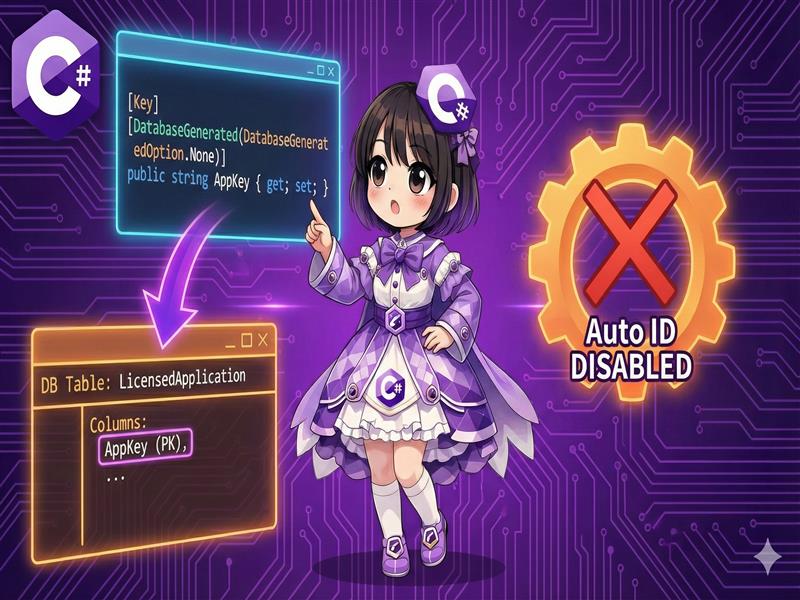
Overview
In Entity Framework Core (EF Core), a property named Id is usually treated as the primary key. If the property is a numeric type, the database automatically configures it as an Identity (auto-increment) column. However, there are cases where you want to use a “meaningful string” like an employee code as a primary key or manage IDs manually within the application instead of using auto-increment. This article explains how to use the [Key] and [DatabaseGenerated] attributes to control primary key definitions and value generation rules.
Specifications
- Input: An entity class and the property you want to set as the primary key.
- Process: Use the
[Key]attribute to mark the primary key. Use[DatabaseGenerated(DatabaseGeneratedOption.None)]to disable auto-increment. - Output: The specified property is set as the primary key, and the database will not generate values automatically during an INSERT operation.
Basic Usage
Use the System.ComponentModel.DataAnnotations and System.ComponentModel.DataAnnotations.Schema namespaces to apply attributes to the target property.
public class Student
{
    // Use a manually assigned Student ID as the primary key without auto-increment
    [Key]
    [DatabaseGenerated(DatabaseGeneratedOption.None)]
    public string StudentId { get; set; }

    public string Name { get; set; }
}
Full Code Example
The following example demonstrates a complete console application that uses a string like an ISBN code as a primary key and registers data without auto-increment. Note: This requires the Microsoft.EntityFrameworkCore.InMemory package. dotnet add package Microsoft.EntityFrameworkCore.InMemory
using System;
using System.ComponentModel.DataAnnotations;
using System.ComponentModel.DataAnnotations.Schema;
using System.Linq;
using Microsoft.EntityFrameworkCore;

namespace PrimaryKeySample
{
    // 1. Entity class definition
    public class BookItem
    {
        // Use an ISBN code as the primary key
        // Strings do not auto-increment by default, but we use Option.None
        // to make the intention clear.
        [Key]
        [DatabaseGenerated(DatabaseGeneratedOption.None)]
        public string IsbnCode { get; set; } = string.Empty;

        public string Title { get; set; } = string.Empty;

        public DateTime PublishedDate { get; set; }
    }

    // 2. DbContext definition
    public class LibraryContext : DbContext
    {
        public DbSet<BookItem> Books { get; set; }

        protected override void OnConfiguring(DbContextOptionsBuilder optionsBuilder)
        {
            // Use an in-memory database for testing
            optionsBuilder.UseInMemoryDatabase("LibraryDb");
        }
    }

    class Program
    {
        static void Main(string[] args)
        {
            // Saving data (assigning the ID manually)
            using (var context = new LibraryContext())
            {
                var newBook = new BookItem
                {
                    // Explicitly specify the primary key value in the application
                    IsbnCode = "978-3-16-148410-0",
                    Title = "Advanced C# Programming",
                    PublishedDate = DateTime.Today
                };

                context.Books.Add(newBook);
                context.SaveChanges();

                Console.WriteLine($"Saved: ISBN={newBook.IsbnCode}, Title={newBook.Title}");
            }

            // Loading data
            using (var context = new LibraryContext())
            {
                // The Find method efficiently searches using the primary key
                var loadedBook = context.Books.Find("978-3-16-148410-0");

                if (loadedBook != null)
                {
                    Console.WriteLine("--- Retrieved Data ---");
                    Console.WriteLine($"ISBN  : {loadedBook.IsbnCode}");
                    Console.WriteLine($"Title : {loadedBook.Title}");
                }
            }
        }
    }
}
Example Execution Result
Saved: ISBN=978-3-16-148410-0, Title=Advanced C# Programming
--- Retrieved Data ---
ISBN  : 978-3-16-148410-0
Title : Advanced C# Programming
Customization Points
Types of DatabaseGeneratedOption
- None: The database does not generate values. The application must set the value (as shown in this example).
- Identity: Values are generated automatically during an insert. This is the default behavior for integer primary keys.
- Computed: The column is recalculated by the database during updates (useful for updated timestamps or calculated columns).
Using Guids
When using a Guid as a primary key, you can choose whether the database generates it (Identity) or if you generate it in C# using Guid.NewGuid() (None).
Important Notes
- Duplicate Errors: When using
DatabaseGeneratedOption.None, you are responsible for the uniqueness of the primary key. Attempting to save an existing key will cause aDbUpdateException. - Primary Key Modification: In EF Core, you cannot change the primary key value of an entity once it is tracked by the context. To change a key, you must delete the old record and insert a new one.
- Composite Key Limit: The
[Key]attribute only works for single-column primary keys. To create a composite primary key using multiple properties, you must use the Fluent API.
Variations (Optional)
Setting a Composite Primary Key
For tables where a combination of columns, such as “Member ID” and “Contract Year,” creates a unique key, use the OnModelCreating method in your DbContext. Attributes alone cannot define composite keys.
using Microsoft.EntityFrameworkCore;

// Entity
public class AnnualContract
{
    public int MemberId { get; set; } // Part of the primary key
    public int Year { get; set; }     // Part of the primary key
    public string PlanName { get; set; }
}

// DbContext
public class ContractContext : DbContext
{
    public DbSet<AnnualContract> Contracts { get; set; }

    protected override void OnModelCreating(ModelBuilder modelBuilder)
    {
        // Define the combination of two properties as the primary key
        modelBuilder.Entity<AnnualContract>()
            .HasKey(c => new { c.MemberId, c.Year });
    }
}
Summary
For composite keys involving multiple columns, use the HasKey method within OnModelCreating instead of using attributes.
Use the [Key] attribute to set a primary key that does not follow the Id naming convention.
Use [DatabaseGenerated(DatabaseGeneratedOption.None)] to disable auto-increment and set values manually.