Overview
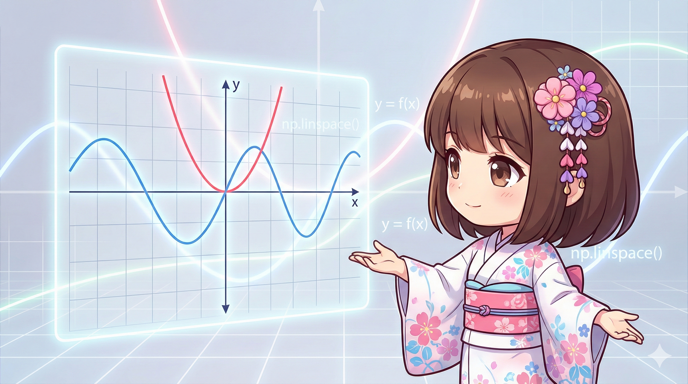
This recipe explains how to use the NumPy numerical calculation library to generate smooth sequence data and draw graphs of mathematical functions like quadratic and trigonometric functions using Matplotlib. Instead of creating lists manually, we will explain how to visualize curves beautifully by automatically generating many coordinate points based on mathematical formulas.
Specifications
- Input: Domain (X-axis range), mathematical function to draw.
- Output: Curve graph of the function.
- Requirements:
matplotlibandnumpylibraries must be installed.
Basic Usage
import matplotlib.pyplot as plt
import numpy as np

# Generate an array of 100 points between 0 and 10
x = np.linspace(0, 10, 100)
# Calculate for the entire array (broadcasting feature)
y = np.sin(x)

fig, ax = plt.subplots()
ax.plot(x, y)
plt.show()
Full Code Example
This complete code plots a quadratic function and a trigonometric function (cosine) on the same graph, with a legend and axis labels.
import matplotlib.pyplot as plt
import numpy as np

def main():
    # 1. Generate data
    # Create 200 points between -5 and 5 for a smooth curve
    x = np.linspace(-5, 5, 200)

    # 2. Define functions (Using NumPy universal functions)
    # y1: Quadratic function (parabola)
    y1 = 0.5 * x ** 2 - 2

    # y2: Trigonometric function (cosine wave with amplitude of 3)
    y2 = 3 * np.cos(x)

    # 3. Graph drawing settings
    fig, ax = plt.subplots(figsize=(8, 5))

    # Plot each function
    ax.plot(x, y1, label="y = 0.5x^2 - 2", color="blue", linestyle="-")
    ax.plot(x, y2, label="y = 3cos(x)", color="red", linestyle="--")

    # 4. Visual adjustments
    ax.set_title("Function Plot with NumPy")
    ax.set_xlabel("x axis")
    ax.set_ylabel("y axis")

    # Adjust axis lines to pass through the origin (optional)
    ax.axhline(0, color='black', linewidth=0.5)
    ax.axvline(0, color='black', linewidth=0.5)

    ax.grid(True, linestyle=':', alpha=0.6)
    ax.legend() # Show legend

    # 5. Display
    plt.show()

if __name__ == "__main__":
    main()
Customization Points
- np.linspace(start, stop, num): This is the most important function for drawing graphs. It divides the range from
starttostopintonumequal parts. The curve becomes smoother asnumincreases (usually 50 to 200 is enough). - NumPy Calculations: If
xis a NumPy array, you can simply writex ** 2ornp.sin(x)to perform calculations on all elements at once. You do not need to use loops.
Important Notes
- Watch for Typos: A common mistake is writing
linespace(line-space), but the correct name islinspace(linear-space). - Difference from arange:
np.arange(start, stop, step)uses a specific “step size,” but it may not include thestoppoint and can be hard to use when you want a fixed number of divisions. For drawing graphs,np.linspaceis better because it includes the end point and allows you to specify the number of points. - Consider Division by Zero: When drawing functions like
1 / x, you will get errors or infinite values ifxincludes0. You must shift the range or handle the points where the function is undefined.
Variations
Damped Oscillation Graph (Combined Functions)
With NumPy, you can calculate complex waveforms like damped oscillations (a combination of exponential and trigonometric functions) in a single line.
import matplotlib.pyplot as plt
import numpy as np

def plot_damped_oscillation():
    # Range from 0 to 20
    t = np.linspace(0, 20, 500)

    # Formula for damped oscillation: e^(-0.1t) * sin(2t)
    y = np.exp(-0.1 * t) * np.sin(2 * t)

    fig, ax = plt.subplots()
    ax.plot(t, y, color='purple')

    ax.set_title("Damped Oscillation")
    ax.set_xlabel("Time")
    ax.set_ylabel("Amplitude")
    ax.grid(True)

    plt.show()

if __name__ == "__main__":
    plot_damped_oscillation()
Summary
When creating mathematical graphs, combining NumPy and Matplotlib is more efficient than using standard Python lists and for loops. By defining the domain with np.linspace and writing the formulas directly, you can easily visualize complex mathematical functions.